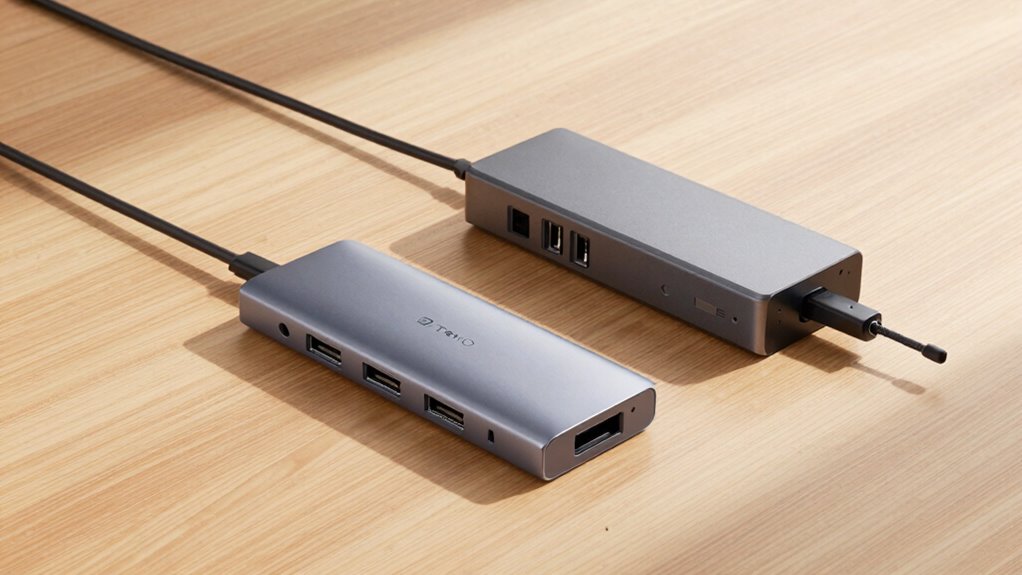

If you prioritize portability and quick setups, a USB-C hub is your best bet, as it’s lightweight and easy to carry. Full docks offer more stable power and a wider range of connections but are bulkier and better suited for fixed workspaces. Consider your travel style: if you need mobility, go for a hub; for reliability and multiple device support, a dock might fit. Want to discover which option suits your needs best? Keep exploring to find out more.

Get travel and outdoor gear delivered free with Prime
- Fast, free delivery on millions of items
- Prime Video, Amazon Music and more included
- Member-only deals all year
Key Takeaways
- USB-C hubs are compact and lightweight, ideal for quick travel setups, while full docks are bulkier and suited for permanent stations.
- Hubs provide essential connections with limited power delivery, whereas docks offer comprehensive ports and faster charging.
- For portability, hubs easily fit in bags; docks often require a dedicated power source, less convenient on the go.
- Wireless charging support varies; hubs may include it for convenience, but docks typically prioritize stable power delivery.
- Choose hubs for simplicity and mobility, and docks for stability and extensive connectivity during extended travel or work sessions.
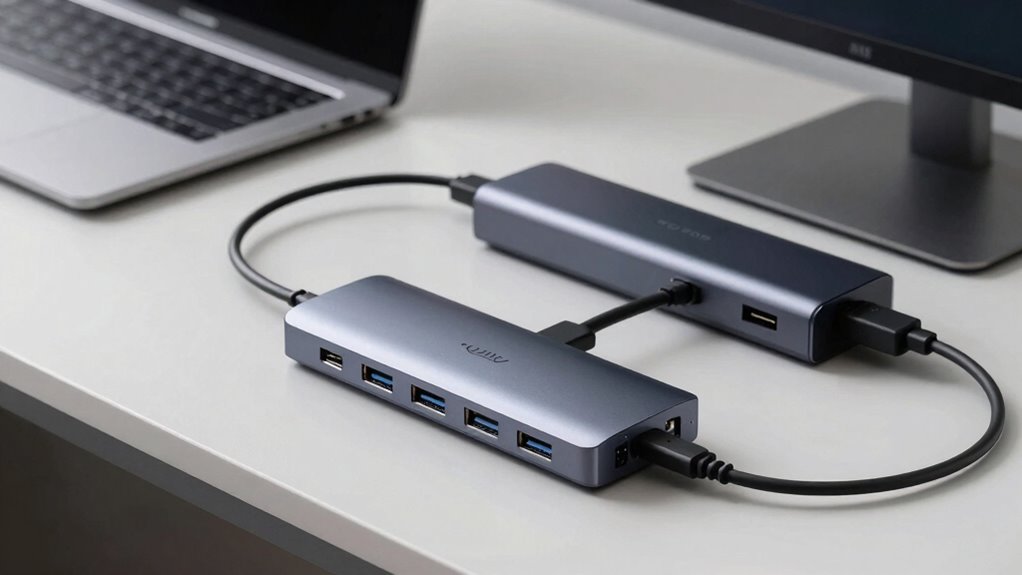
When it comes to staying connected on the go, choosing between a USB-C hub and a full dock can greatly impact your travel setup. Your decision influences how easily you can connect devices, charge your gadgets, and manage power, all while keeping your gear lightweight and portable. If you rely on wireless charging, for example, some hubs and docks include built-in charging pads, which can be a real convenience during travel. This feature allows you to top off your phone or wireless earbuds without cluttering your bag with extra chargers. However, not all hubs or docks support wireless charging, so you’ll want to check compatibility based on your devices.
Battery life is another critical consideration. A full dock, especially those designed for office use, often includes dedicated power delivery (PD) ports that can charge your laptop quickly and maintain battery life during long work sessions. This means you might not need to carry multiple chargers, saving space and reducing cable clutter. In contrast, many USB-C hubs are more compact and focus mainly on expanding connectivity—adding USB ports, SD card slots, and HDMI outputs—rather than boosting battery life. While some hubs can pass through power to your device, their power delivery capabilities are usually limited, so they might not fully sustain your device’s battery during intensive use. Additionally, the power delivery support in full docks often enhances overall device performance during travel.
Size and portability also matter. USB-C hubs tend to be smaller, lightweight, and easy to slip into a bag or pocket, making them ideal for quick trips or minimal setups. Full docks, on the other hand, are often bulkier and designed more for permanent or semi-permanent setups—like a hotel desk or a portable workstation. They usually require a dedicated power source, which might be inconvenient while traveling but offers more stable power delivery and additional features, including multiple connections and sometimes even multiple displays.
Ultimately, your choice depends on your specific travel needs. If you prioritize lightweight convenience and occasional device connections, a USB-C hub is likely the better fit. But if you need reliable power, longer battery life, and more comprehensive connectivity options, a full dock might be worth the extra size and weight. Both options can support wireless charging in some cases, but keep in mind that not all models include this feature. Consider what matters most for your travel lifestyle—compactness, power, or a blend of both—and pick what keeps you connected without adding unnecessary bulk.
USB-C hub with wireless charging
As an affiliate, we earn on qualifying purchases.
As an affiliate, we earn on qualifying purchases.
Frequently Asked Questions
Are USB-C Hubs Compatible With All Laptop Brands?
USB-C hubs aren’t compatible with all laptop brands, as compatibility issues often depend on your device’s ports and standards. Some brands have unique port configurations or limitations, causing potential issues. Before buying, check your laptop’s specifications and the hub’s compatibility list. While many USB-C hubs work universally, brand limitations might mean you need a specific model or extra adapters to guarantee seamless connectivity.
Can Full Docks Be Used With Tablets or Smartphones?
Did you know that over 60% of tablets now support full docks? Full docks can often be used with tablets or smartphones, but compatibility varies by device. Tablet compatibility depends on specific ports and software support, while smartphone connectivity may require adapters or additional accessories. Check your device’s specifications before investing in a dock to guarantee seamless connection, so you can easily expand your device’s capabilities on the go.
How Do Power Delivery Capabilities Differ Between Hubs and Docks?
Full docks generally offer better power delivery capabilities than hubs, supporting higher wattage for faster charging and better power compatibility with your devices. This means you can charge your laptop or smartphone more efficiently without compromising performance. Hubs may provide some power delivery, but their charging efficiency is usually lower, making docks a smarter choice for seamless power management during travel.
Are There Portability Differences Between Hubs and Full Docks?
When it comes to portability, hubs are your best bet—they’re small and light, making them perfect for travel. Full docks, on the other hand, offer more features but take up more space and can be bulky. The portability comparison favors hubs for space-saving benefits, so if you’re always on the move, they’re easier to pack and carry, helping you stay connected without adding extra bulk to your bag.
Do Docks Support Multiple Monitor Connections Simultaneously?
Yes, docks support multiple monitor connections simultaneously, making them ideal for expanded workspace setups. They often offer better video compatibility, ensuring smooth display output for various monitors. Additionally, docks help with cable management by consolidating multiple connections into a single unit, reducing clutter. This streamlined setup is especially beneficial during travel, as it simplifies connecting and disconnecting devices, keeping your workspace organized and efficient.
As an affiliate, we earn on qualifying purchases.
Conclusion
So, whether you choose a sleek USB-C hub or a full dock, you’re still carting around a bundle of cables and adapters. Ironically, the very devices meant to simplify your travel setup often become the baggage you’re trying to escape. In the end, maybe the best solution is to embrace the chaos—after all, technology’s promise of simplicity has always been a bit of a mirage. Safe travels, and may your ports stay ever accessible.
full docking station for laptops
As an affiliate, we earn on qualifying purchases.
As an affiliate, we earn on qualifying purchases.
As an affiliate, we earn on qualifying purchases.
Halloween Picks
halloween
As an affiliate, we earn on qualifying purchases.