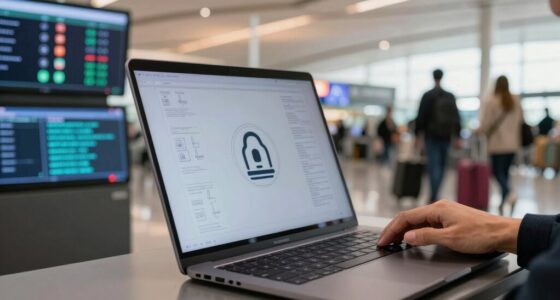

Using public Wi-Fi for quick internet access can seem like a time-saver, but it often exposes your data to security risks. Cybercriminals can easily intercept unencrypted information like passwords and emails. Relying solely on HTTPS isn’t enough, and your connection might lack proper security measures. To stay safe, consider using VPNs and protecting sensitive data. If you want to know how to avoid these risks without sacrificing convenience, keep exploring this topic.
Key Takeaways
- Connecting to open Wi-Fi without using a VPN exposes your data to interception risks.
- Relying solely on HTTPS for security doesn’t fully protect sensitive information on public networks.
- Skipping network segmentation or security measures increases vulnerability without saving time.
- Quickly connecting without verifying network security settings heightens risk without significant time savings.
- Neglecting encryption and security practices in favor of convenience can lead to data breaches.

Public Wi-Fi networks are convenient, but they come with significant security risks that you need to be aware of. When you connect to these networks, your data becomes vulnerable to interception by cybercriminals who are always on the lookout for unsecured connections. Many users make the mistake of assuming that a quick connection is harmless, but even brief interactions can expose sensitive information, from passwords to personal emails. To protect yourself, understanding how data encryption works is essential. Data encryption scrambles your information so that anyone attempting to intercept it will see only gibberish, not meaningful data. Many secure websites use HTTPS, which provides an additional layer of encryption, making it much harder for outsiders to access your browsing activity. However, not all public Wi-Fi networks enforce such security measures, so relying solely on HTTPS isn’t enough.
Public Wi-Fi risks include data interception; encryption and HTTPS help, but aren’t foolproof. Use additional security measures.
Another habit that increases your risk is neglecting network segmentation. Network segmentation involves dividing a network into separate zones, allowing you to isolate sensitive data from less secure areas. When you’re on a public Wi-Fi, your device is often connected to a broad network that doesn’t distinguish between your device and potentially malicious ones. By implementing network segmentation—either through your device settings or using specialized security tools—you can create a barrier between your sensitive information and the rest of the network. This way, even if an attacker gains some access, they can’t easily reach your personal files, emails, or banking information. Additionally, many users are unaware that public Wi-Fi security practices can significantly reduce their vulnerability. Understanding the role of encryption protocols in securing data can help you make more informed security choices. Being aware of potential vulnerabilities such as man-in-the-middle attacks can also reinforce the importance of comprehensive security measures. Incorporating additional security measures like firewall configurations further enhances your protection on public networks. Recognizing the importance of security awareness when using public Wi-Fi can improve your overall safety.
Many people overlook the importance of using a Virtual Private Network (VPN) when on public Wi-Fi. A VPN encrypts all your internet traffic and routes it through a secure server, adding an extra layer of protection. This not only safeguards your data from prying eyes but also helps maintain your privacy by masking your IP address. If you’re frequently on public Wi-Fi, investing in a reliable VPN is one of the simplest ways to mitigate risks associated with your habit of connecting without proper safeguards. Ultimately, the time saved by connecting to free public Wi-Fi can be overshadowed by the potential security costs. Instead of rushing into a quick connection, you should prioritize security measures like ensuring data encryption, using VPNs, and applying network segmentation. These steps don’t just protect your data—they help you maintain control over your digital privacy. The convenience of public Wi-Fi shouldn’t come at the expense of your security, so make smarter choices to keep your information safe while enjoying the benefits of free internet access.
As an affiliate, we earn on qualifying purchases.
Frequently Asked Questions
Can Public Wi-Fi Steal My Saved Passwords?
Yes, public Wi-Fi can lead to password theft through data interception. When you’re on an unsecured network, hackers can potentially access your saved passwords if you’re not using strong encryption or a VPN. They might intercept your data as it travels between your device and the internet, increasing the risk of password theft. Always use secure connections, avoid saving passwords on public Wi-Fi, and enable two-factor authentication for added security.
Are Public Wi-Fi Hotspots Safe for Online Banking?
Public Wi-Fi hotspots aren’t safe for online banking unless you use a secure connection. Only 20% of public networks use proper network encryption, making it easier for hackers to intercept your data. When you access your banking app, make sure you’re connected to a secure network, preferably through a VPN. Without these precautions, your sensitive information could be at risk, even if the network looks trustworthy.
How Can I Tell if a Wi-Fi Network Is Malicious?
You can tell if a Wi-Fi network is malicious by checking its network encryption—look for open networks or ones with weak security, which are often risky. Also, be cautious if the network prompts you to download unfamiliar files or asks for personal information unexpectedly. These signs increase your device vulnerability. Always verify the network name before connecting, and avoid using public Wi-Fi for sensitive activities to protect your data.
Do VPNS Fully Protect My Data on Public Wi-Fi?
About 60% of public Wi-Fi networks have vulnerabilities, so VPNs don’t fully protect your data. While VPNs use encryption protocols to shield your information, they can’t eliminate all network vulnerabilities. If a hacker exploits a weakness in the network, your data could still be at risk. VPNs considerably reduce this risk, but you should also avoid sensitive activities on unsecured public Wi-Fi for complete safety.
Is Public Wi-Fi Safe for Streaming or Downloading Files?
Public Wi-Fi isn’t fully safe for streaming or downloading files because Wi-Fi encryption varies, and many networks lack strong security. You risk exposing your data if the network doesn’t guarantee proper encryption, and hackers can compromise network anonymity to intercept your activity. To stay safer, use a VPN to improve Wi-Fi encryption and mask your identity, but avoid sensitive downloads or streaming on untrusted public networks whenever possible.
As an affiliate, we earn on qualifying purchases.
Conclusion
So, next time you connect to public Wi-Fi, remember—what seems like a quick fix might be a gateway for unseen dangers. Think you’re just saving a few minutes? Think again. The risks are lurking just beneath the surface, waiting for the right moment. Will you risk it all for a fleeting convenience? Or will you choose to stay safe and protect what truly matters? The choice is yours—before it’s too late.
As an affiliate, we earn on qualifying purchases.
As an affiliate, we earn on qualifying purchases.