
If you’re a traveler needing reliable internet, a mobile hotspot can be a game-changer. It creates a personal Wi-Fi network using cellular data, helping you stay connected on the go. You’ll benefit most if you often visit areas with poor public Wi-Fi or need to connect multiple devices at once. Ensuring device compatibility and good signal coverage is key. Keep exploring to discover tips that can maximize your hotspot experience and keep you connected wherever you travel.

Get travel and outdoor gear delivered free with Prime
- Fast, free delivery on millions of items
- Prime Video, Amazon Music and more included
- Member-only deals all year
Key Takeaways
- Travelers needing reliable internet in areas without Wi-Fi benefit from portable hotspots.
- Business travelers can use hotspots to maintain work connectivity while on the go.
- Road trippers and outdoor enthusiasts rely on hotspots for internet access in remote locations.
- International travelers benefit from hotspots with global network compatibility and coverage.
- Digital nomads and remote workers use hotspots to stay connected from various locations.

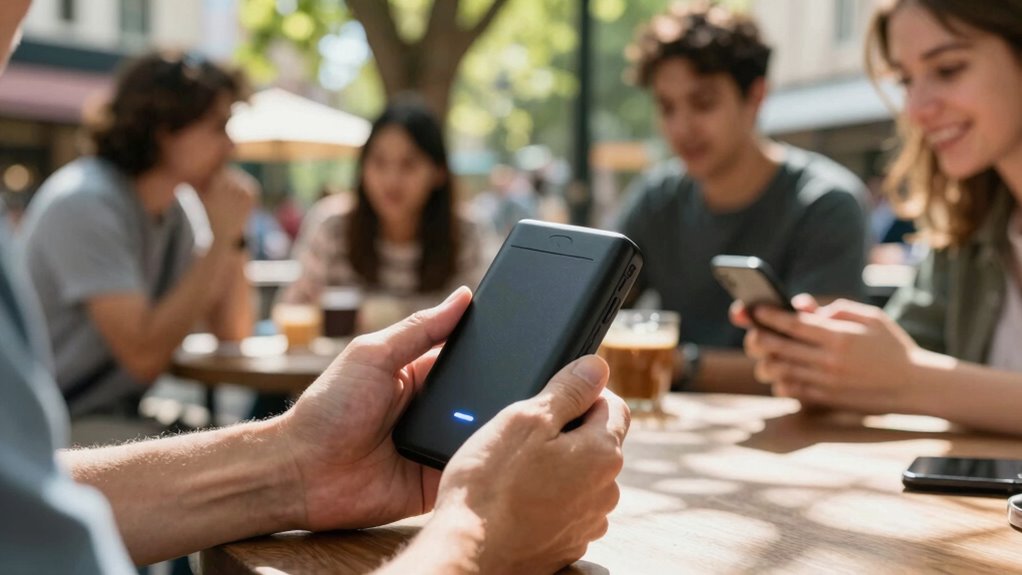
Have you ever needed internet access on the go and wondered how to stay connected? Mobile hotspots are a great solution, especially when traditional Wi-Fi networks aren’t available. These portable devices create a personal Wi-Fi network using cellular data, allowing you to connect multiple devices like smartphones, tablets, or laptops wherever you are. Whether you’re traveling for work or leisure, a mobile hotspot can keep you online without relying on public Wi-Fi, which often lacks security and stability.
Understanding device compatibility is vital when choosing a mobile hotspot. Not all devices work seamlessly with every hotspot, so you need to check if the hotspot supports your devices’ operating systems and connection standards. For example, some hotspots only work with certain Wi-Fi bands or may require specific features like LTE or 5G compatibility. Making sure your devices are compatible with the hotspot’s technology prevents connection issues and maximizes your internet experience. Additionally, some hotspots allow you to connect a limited number of devices simultaneously, so evaluate your needs before making a choice.
Ensure device compatibility with your mobile hotspot to prevent connection issues and optimize your internet experience.
Signal coverage is another key factor to evaluate. No matter how advanced your hotspot is, if it can’t access a strong cellular signal, your internet connection will be slow or unreliable. Signal coverage varies depending on your location, the carrier’s network, and even the terrain. Urban areas usually have better coverage, but rural or remote regions might pose challenges. Before heading out, check the coverage maps of your chosen carrier to verify you’ll have a reliable signal where you’ll be using the hotspot. Some hotspots also come with features that boost signal strength or connect to multiple networks, increasing your chances of staying connected in less covered areas. Ensuring network compatibility is essential for maintaining a stable connection in diverse environments. Being aware of regional E-Bike Laws and Regulations can also influence your travel plans and connectivity needs, especially if you’re exploring different states with varying rules. Additionally, understanding cellular network coverage in your destination can help prevent unexpected connectivity issues during your trip.
As an affiliate, we earn on qualifying purchases.
Frequently Asked Questions
How Secure Are Mobile Hotspots Against Hacking?
Mobile hotspots offer decent security, but they’re not foolproof against hacking vulnerabilities. Your device’s network encryption helps protect your data, but weak passwords or outdated firmware can expose you to threats. To stay secure, use strong, unique passwords, enable encryption, and keep your hotspot’s software updated. While they’re generally safe for travel, always remain cautious about potential hacking risks and avoid transmitting sensitive information over public or unsecured networks.
Can Mobile Hotspots Work Internationally Without Extra Charges?
Yes, mobile hotspots can work internationally without extra charges if you choose the right data plan options. You’ll want to look into international roaming features offered by your provider, which often include specific plans for travelers. These plans help avoid costly fees and *guarantee* your hotspot stays connected abroad. Always check with your provider beforehand to understand the available options and avoid surprise charges while using your hotspot internationally.
What Is the Typical Battery Life of a Mobile Hotspot?
Think of your mobile hotspot as a diligent traveler on a journey, its battery longevity determined by how well it manages its energy supply. Typically, it lasts between 6 to 10 hours, depending on usage and power management. Active data transfers drain power faster, so enabling power-saving features can extend its life. Staying mindful of these factors guarantees your device remains connected without sudden power loss during vital moments.
Are Mobile Hotspots Suitable for Streaming High-Definition Videos?
Yes, mobile hotspots are suitable for streaming high-definition videos, but you need to take into account bandwidth requirements. HD video streaming demands higher bandwidth, which some hotspots can handle comfortably if they have strong signal strength and fast data plans. Keep in mind that streaming consumes a lot of data, so check your plan’s limits to avoid extra charges. For smooth HD streaming, choose a hotspot with sufficient bandwidth and a reliable network connection.
How Does Data Throttling Affect Mobile Hotspot Performance?
Think of data throttling like a traffic jam on your favorite route—your data speed slows down, and signal stability drops. It directly impacts your mobile hotspot’s performance, making streaming or browsing frustrating. When throttling kicks in, you notice slower connections and buffering. This happens because your provider limits data after a certain point, turning a smooth ride into a bumpy one, affecting your overall experience.
As an affiliate, we earn on qualifying purchases.
Conclusion
Think of mobile hotspots as your trusty compass, guiding you through the digital wilderness wherever you roam. They turn vast, uncharted territories into familiar streets, ensuring you’re always connected no matter how far your adventures take you. With a hotspot in hand, you’re never lost in the offline shadows; instead, you’re illuminated by a beacon of connectivity. Embrace this portable lifeline, and let your travels be as seamless as a river flowing to the sea.
As an affiliate, we earn on qualifying purchases.
multi-device portable Wi-Fi router
As an affiliate, we earn on qualifying purchases.
As an affiliate, we earn on qualifying purchases.
Halloween Picks
halloween
As an affiliate, we earn on qualifying purchases.