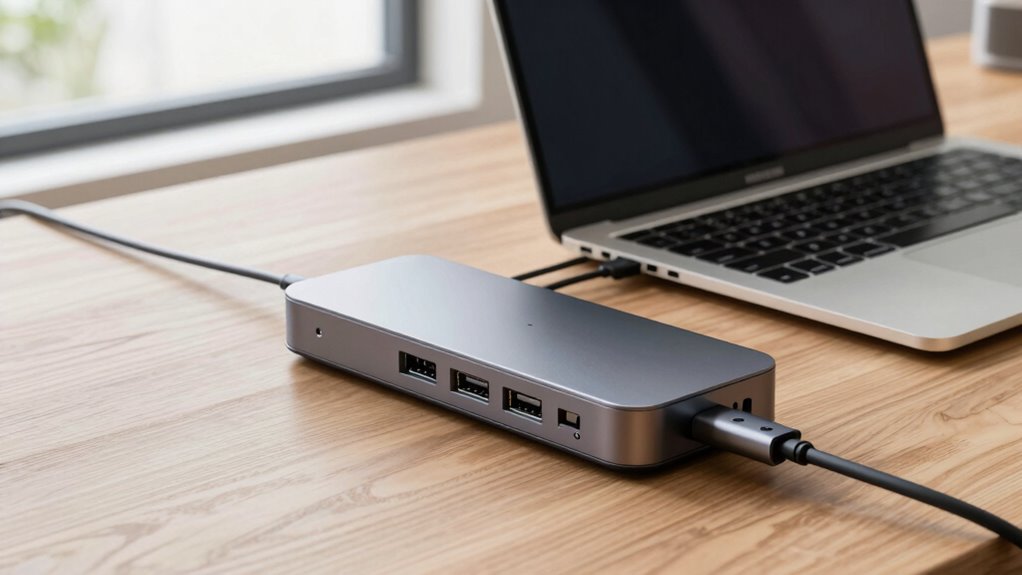

For anyone needing a portable solution to expand their USB-C laptop’s connectivity on the go, a compact travel docking station is essential. The Lenovo USB-C Slim Travel Dock stands out as the best overall choice, offering solid performance in a lightweight design. The Anker Nano Laptop Docking Station excels in versatility with its 13-in-1 setup, while the Ugreen USB C Docking Station provides a reliable dual-monitor experience. Buyers often face a tradeoff between size, port selection, and power delivery—smaller docks may lack certain ports, while larger ones might compromise portability. Continue reading for a detailed breakdown of these options and how to pick the right one for your travel needs.

Get travel and outdoor gear delivered free with Prime
- Fast, free delivery on millions of items
- Prime Video, Amazon Music and more included
- Member-only deals all year
Complete the kit



Key Takeaways
- The best docks balance portability with sufficient port options, especially for multi-monitor setups.
- Power delivery support varies; higher wattage docks are better for charging larger laptops on the go.
- Build quality and heat management are often overlooked but key for durability during travel.
- Some docks prioritize dual-monitor support, which is crucial for productivity-oriented users.
- Price differences often reflect port variety, build quality, and power capabilities—more expensive isn’t always necessary.
| Lenovo USB-C Slim Travel Dock, 8 Ports, 65W Power Delivery, 4K Support, Black |  | Best Overall Compact Travel Dock for USB-C Laptops | Ports: 8 (2 USB-A 3.2, 3 USB-C 3.2, HDMI 2.1, Power Only USB-C) | Video Support: 4K @ 60Hz | Power Delivery: Up to 65W | VIEW ON AMAZON | See Our Full Breakdown |
| USB-C Laptop Docking Station with Dual HDMI, 10-in-1 Hub |  | Best for High-Resolution Multi-Display Setups | Number of Ports: 10 | HDMI Output: 2x 4K@60Hz | USB-A Ports: 2x USB 3.0 | VIEW ON AMAZON | See Our Full Breakdown |
| Lenovo USB-C Dual Display Travel Dock with 100W Power Adapter – 7 Ports, 4K Dual Displays, Universal Compatibility |  | Best for Dual 4K Display and Power Delivery on a Compact Scale | Number of Ports: 7 | Display Outputs: 2 (DisplayPort 1.4, HDMI 2.0) | Maximum Power Delivery: 100W | VIEW ON AMAZON | See Our Full Breakdown |
| Anker USB C Hub, 7-in-1 Multi-Port USB Adapter, 4K@60Hz USBC to HDMI Splitter |  | Best for Compact Video and Data Versatility | Ports: HDMI, 2 x USB-A 3.0, USB-C data, USB-C PD, SD, TF | Video Output: 4K@60Hz HDMI | Charging Power: Up to 85W | VIEW ON AMAZON | See Our Full Breakdown |
| Anker Nano Laptop Docking Station, 13-in-1 with Detachable 6-in-1 USB-C Hub |  | Best for Flexible, Multi-Device Connectivity on the Go | DisplayPort: Yes | Ethernet: Yes | HDMI: 2 | VIEW ON AMAZON | See Our Full Breakdown |
| Anker Nano Laptop Docking Station Dual Monitor 8-in-1 USB C Hub for Windows |  | Best Overall for Versatile Dual-Monitor Support | Connectivity: 8-in-1 USB-C Hub | Max Power Output: 85W | Data Transfer Speed: 10 Gbps | VIEW ON AMAZON | See Our Full Breakdown |
| Anker 8-in-1 USB-C Hub with Dual 4K HDMI, Power Delivery, Ethernet, and Card Reader |  | Best for Versatile Connectivity and Dual 4K Displays | Number of HDMI ports: 2 | Max resolution: 4K@60Hz (single), 4K@30Hz (dual) | Power Delivery: Up to 85W | VIEW ON AMAZON | See Our Full Breakdown |
| Anker USB-C Hub, 5-in-1 USB Hub for Laptops, 4K HDMI Multiport Adapter |  | Best for Compact Simplicity and Basic 4K Output | Ports: 2 USB-A 2.0, 1 USB-A 3.0, 1 HDMI | Power Delivery: Yes, 90W pass-through | Maximum Resolution: 4K at 30Hz | VIEW ON AMAZON | See Our Full Breakdown |
| UGREEN USB C Docking Station Dual Monitor, 7-in-1 Aluminum Dock with 2 HDMI |  | Best for Dual 4K HDMI on a Compact Aluminum Frame | Hardware Interface: HDMI, USB, USB Type C | Compatible Devices: Full functional USB C laptops, Macbook, Chromebook, Surface | Total USB Ports: 4 | VIEW ON AMAZON | See Our Full Breakdown |
| Lenovo USB-C 5-in-1 Travel Hub, 90W Power Delivery, 4K 60Hz HDMI, Dual USB-C and USB-A Ports, Plug and Play, Compact, Silver Grey | 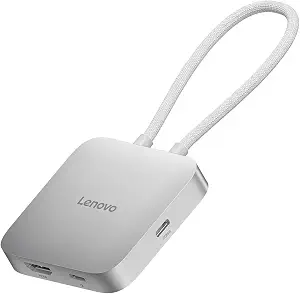 | Best for Travel and Basic Dual Display Needs | Number of ports: 5 | HDMI output: 4K 60Hz | Power delivery: 90W | VIEW ON AMAZON | See Our Full Breakdown |
| Lenovo USB-C Dual Display Travel Dock – 7 Ports, 4K Support, Universal Compatibility, Black |  | Best Overall for Versatile Dual-Display Connectivity | Number of Ports: 7 | Display Support: Dual 4K at 60Hz | Video Ports: DisplayPort 1.4, HDMI 2.0 | VIEW ON AMAZON | See Our Full Breakdown |
| Selore USB C Docking Station Dual Monitor, USB C to Dual HDMI Adapter |  | Best for Dual 4K HDMI Monitors with Versatile Data & Power | HDMI ports: 2 x 4K@60Hz | Power Delivery: 85W output from 100W input | USB-C port: Data transfer up to 5Gbps | VIEW ON AMAZON | See Our Full Breakdown |
| compact travel docking station for usb c laptop | Power Delivery |
|---|---|
| Lenovo USB-C Slim Travel Dock | Up to 65W |
| USB-C Laptop Docking Station w | 100W |
| Lenovo USB-C Dual Display Trav | — |
| Anker USB C Hub | — |
| Anker Nano Laptop Docking Stat | Up to 100W |
| Anker Nano Laptop Docking Stat | — |
| Anker 8-in-1 USB-C Hub with Du | Up to 85W |
| Anker USB-C Hub | Yes, 90W pass-through |
| UGREEN USB C Docking Station D | — |
| Lenovo USB-C 5-in-1 Travel Hub | 90W |
| Lenovo USB-C Dual Display Trav | Up to 100W with 135W charger |
| Selore USB C Docking Station D | 85W output from 100W input |
More Details on Our Top Picks
Lenovo USB-C Slim Travel Dock, 8 Ports, 65W Power Delivery, 4K Support, Black
This Lenovo model stands out for its sleek, lightweight design combined with versatile connectivity, making it ideal for travelers who need a reliable all-in-one solution. Compared with the Anker USB C Hub, it offers a more balanced port selection with a focus on display quality, supporting 4K at 60Hz, which is perfect for high-resolution work. However, its 65W power delivery limits compatibility with high-power laptops like some gaming or workstation models, a notable tradeoff for its portability. Its stylish build and eco-friendly materials add appeal, but users with demanding power needs might find it insufficient.
Pros:- Supports 4K resolution at 60Hz for crisp visuals
- Multiple ports including HDMI, USB-A, and USB-C for versatile connectivity
- Compact, stylish design ideal for travel
Cons:- Limited to 65W power delivery, not suitable for high-power laptops
- Only one HDMI port, which may be insufficient for multi-display setups
Best for: Travelers who prioritize a compact, stylish dock with decent power support for everyday productivity tasks.
Not ideal for: Power users with high-performance laptops requiring more than 65W charging or multiple high-res displays simultaneously.
- Ports:8 (2 USB-A 3.2, 3 USB-C 3.2, HDMI 2.1, Power Only USB-C)
- Video Support:4K @ 60Hz
- Power Delivery:Up to 65W
- Material:66% Post-Consumer Recycled Content
- Color:Black
Our verdict“Ideal for remote workers and frequent travelers needing a portable dock with reliable video output and basic connectivity.”
USB-C Laptop Docking Station with Dual HDMI, 10-in-1 Hub
This 10-in-1 hub excels at delivering dual 4K@60Hz HDMI outputs and fast data transfer, making it suitable for professionals who need multiple high-res screens. Compared with the Lenovo Slim Travel Dock, it offers more extensive I/O options, including SD/TF card readers and Ethernet, but requires a USB-C port with DisplayPort Alt Mode, which isn’t always guaranteed on older laptops. Its 100W power pass-through supports larger laptops, yet the lack of simultaneous SD/TF card reading can be limiting for photographers or content creators who need quick access to both cards at once.
Pros:- Supports dual 4K@60Hz HDMI outputs for high-resolution multitasking
- Powerful 100W pass-through charging for larger laptops
- Multiple ports including Ethernet and card readers
Cons:- SD/TF cards cannot be read simultaneously
- Requires specific USB-C Alt Mode support, limiting compatibility
Best for: Remote workers or content creators who require dual 4K displays and extensive connectivity in a portable package.
Not ideal for: Users with older laptops lacking DisplayPort Alt Mode support or those who need simultaneous SD and TF card access.
- Number of Ports:10
- HDMI Output:2x 4K@60Hz
- USB-A Ports:2x USB 3.0
- USB-C Data Ports:2x USB-C 3.0
- Power Delivery:100W
- Data Transfer Speed:5Gbps
Our verdict“Best suited for professionals needing dual high-res displays and fast data transfer on compatible laptops.”
Lenovo USB-C Dual Display Travel Dock with 100W Power Adapter – 7 Ports, 4K Dual Displays, Universal Compatibility
This Lenovo dock combines dual 4K output support with 100W charging, making it an excellent choice for professionals who need multiple screens and reliable power in a travel-friendly form. Compared with the Anker USB C Hub, it offers more advanced display options with DisplayPort 1.4, but it requires a 135W charger for maximum power, which adds bulk and complexity. Its design emphasizes eco-friendliness with recycled materials, but this may come at the cost of slightly higher weight, and some users might find the port layout crowded.
Pros:- Supports dual 4K displays for enhanced multitasking
- Includes 100W power delivery for fast charging
- Eco-friendly design with recycled materials
Cons:- Requires a higher wattage (135W) charger for full performance
- Limited to USB-C laptops, not compatible with some older models
Best for: Remote workers or digital nomads needing dual 4K displays with robust power delivery and compatibility.
Not ideal for: Users with older or non-USB-C laptops lacking full DisplayPort Alt Mode support or those seeking ultra-lightweight travel options.
- Number of Ports:7
- Display Outputs:2 (DisplayPort 1.4, HDMI 2.0)
- Maximum Power Delivery:100W
- Included Power Adapter:100W USB-C
- Additional Power Option:135W USB-C (optional)
- Material:66% Post-Consumer Recycled Content
Our verdict“Best for professionals who need dual high-resolution displays and high-capacity charging in a portable form factor.”
Anker USB C Hub, 7-in-1 Multi-Port USB Adapter, 4K@60Hz USBC to HDMI Splitter
This Anker hub is compact and delivers crisp 4K@60Hz HDMI output alongside essential data ports, making it a good choice for users who mainly need reliable video output and basic connectivity. Compared to the Lenovo or Lenovo dual-display docks, it offers a more simplified, lightweight design, but sacrifices some versatility with only one video output port supporting 4K. Its 85W charging capability is sufficient for most ultraportables, yet limited compared to larger docks supporting multiple monitors or extensive peripherals. It’s a solid choice for minimalists or those with tight space constraints.
Pros:- Supports 4K@60Hz HDMI output for clear visuals
- Compact, lightweight design ideal for portability
- Supports charging up to 85W for most ultrabooks
Cons:- Only one video output port; limited multi-monitor support
- USB-C port is data only, no video or charging
Best for: Lightweight travelers or students who need a simple, reliable dock for video and data in a small footprint.
Not ideal for: Power users needing multiple high-res displays or extensive peripheral support beyond HDMI and basic ports.
- Ports:HDMI, 2 x USB-A 3.0, USB-C data, USB-C PD, SD, TF
- Video Output:4K@60Hz HDMI
- Charging Power:Up to 85W
- Transfer Speed:5Gbps
Our verdict“Best for users who want a simple, space-efficient dock for video and data in a travel setting.”
Anker Nano Laptop Docking Station, 13-in-1 with Detachable 6-in-1 USB-C Hub
This 13-in-1 docking station with a detachable hub offers extensive connectivity options, including triple monitor support with high resolutions, making it a versatile choice for complex setups. Compared with the single-purpose Lenovo or Anker hubs, it provides more flexibility with its detachable design and a wider array of ports, but the complexity of setup and higher weight may be drawbacks for frequent travelers. Its support for multiple high-resolution monitors makes it ideal for multitasking, though users should be aware of potential compatibility limits with some MacBook models or older laptops.
Pros:- Detachable design for portability and multi-device use
- Supports triple monitor setups with 4K and 2K resolutions
- Extensive connectivity including Ethernet, card slots, and audio
Cons:- Requires connection to activate all ports and lights
- Setup can be complex for less tech-savvy users
Best for: Power users or remote professionals who need multiple high-res monitors and a broad range of ports in a portable package.
Not ideal for: Casual travelers or users seeking a lightweight, minimal dock with only essential ports.
- DisplayPort:Yes
- Ethernet:Yes
- HDMI:2
- USB Type C:Yes
- Total USB Ports:5
- Power Delivery:Up to 100W
- Monitor Resolution Support:4K@60Hz, dual 2K@60Hz, triple 1080P@60Hz
Our verdict“Best for power users demanding high-resolution multi-monitor setups with extensive port options in a travel-friendly form.”
Anker Nano Laptop Docking Station Dual Monitor 8-in-1 USB C Hub for Windows
This Anker dock stands out for its ability to support dual 4K@60Hz monitors, making it ideal for users who prioritize high-resolution multitasking. Compared to the UGREEN model, it offers more robust dual display capabilities but falls short on MacOS support, which only mirrors displays rather than extends. Its 85W power delivery and fast data transfer on all ports make it suitable for daily productivity. However, its incompatibility with Linux and the need for specific cables to achieve full charging capacity are notable tradeoffs. Overall, this pick suits Windows users needing reliable dual monitor setup and fast data transfer.
Pros:- Supports dual 4K@60Hz monitor output for enhanced multitasking
- Fast data transfer speeds on all ports
- Up to 85W pass-through charging for laptops
Cons:- MacOS only mirrors displays, limiting extended desktop use
- Requires compatible cables to achieve full 85W charging
- Not compatible with Linux systems
Best for: Windows users who require high-performance dual 4K display support and fast data transfer.
Not ideal for: Linux users or MacBook owners seeking extended desktop functionality on macOS, as it only mirrors displays.
- Connectivity:8-in-1 USB-C Hub
- Max Power Output:85W
- Data Transfer Speed:10 Gbps
- HDMI Ports:2 supporting 4K@60Hz
- SD/TF Card Slots:Yes, up to 104 MB/s
- Compatibility:Windows 10/11, ChromeOS, USB-C, USB4, Thunderbolt
Our verdict“This docking station is perfect for Windows users who need reliable dual 4K display support with fast data transfer and charging.”
Anker 8-in-1 USB-C Hub with Dual 4K HDMI, Power Delivery, Ethernet, and Card Reader
This model excels in offering a wide array of ports, including dual 4K HDMI outputs, Ethernet, and an SD card reader, making it ideal for those who need multiple connections in a compact form. Unlike the Anker Nano dock, which emphasizes dual monitor support primarily on Windows, this hub provides a broader range of connectivity options, though its dual display support is limited to 4K@30Hz on dual screens, which may not satisfy high-refresh-rate needs. Its 85W Power Delivery and multiple USB ports support efficient multitasking, but it requires a 100W PD wall charger for full charging capabilities, and display mirroring issues on macOS can hinder extended desktop workflows. Best suited for users who want a flexible, all-around port extender with dual 4K support.
Pros:- Supports dual 4K displays at 30Hz, suitable for most productivity tasks
- Offers Ethernet, SD card reader, and multiple USB ports
- Supports up to 85W Power Delivery for fast laptop charging
Cons:- Dual display support limited to 30Hz on dual screens
- Requires a 100W PD charger for full charging capacity
- Display mirroring on macOS can limit dual monitor use
Best for: Productivity-focused users needing multiple high-resolution display outputs and broad connectivity options.
Not ideal for: Mac users seeking extended desktop functionality or Linux users due to compatibility limitations.
- Number of HDMI ports:2
- Max resolution:4K@60Hz (single), 4K@30Hz (dual)
- Power Delivery:Up to 85W
- USB-A ports:2
- Ethernet port:Yes
- SD card reader:Yes
Our verdict“This hub is ideal for users needing broad connectivity and dual 4K displays, accepting some performance limitations on dual monitor refresh rates.”
Anker USB-C Hub, 5-in-1 USB Hub for Laptops, 4K HDMI Multiport Adapter
This 5-in-1 hub offers essential connectivity with HDMI, USB-A ports, and 90W pass-through charging, making it an excellent choice for minimalists or those with limited space. Compared to larger docks like the UGREEN or Lenovo hubs, it provides fewer ports but maintains a focus on portability and straightforward use. Its support for 4K at 30Hz is adequate for basic tasks, but it might fall short for high-refresh-rate needs or complex workflows requiring multiple USB peripherals simultaneously. The lack of data transfer on the charging port and the need for an external charger are notable tradeoffs. This pick makes the most sense for travelers or users who prioritize portability over extensive port options.
Pros:- Provides HDMI output supporting 4K at 30Hz
- Offers 90W pass-through charging
- Compact and lightweight for travel
Cons:- Limited to 4K@30Hz, less ideal for high-refresh-rate tasks
- USB-C power input cannot power peripherals
- Requires external charger (not included)
Best for: Travelers or users needing a simple, lightweight hub with basic 4K HDMI output and charging.
Not ideal for: Power users requiring multiple USB peripherals or dual 4K monitors with high refresh rates.
- Ports:2 USB-A 2.0, 1 USB-A 3.0, 1 HDMI
- Power Delivery:Yes, 90W pass-through
- Maximum Resolution:4K at 30Hz
- Input Power:100W total, 10W reserved
Our verdict“This hub is best for those seeking a portable, straightforward solution for 4K display and laptop charging on the go.”
UGREEN USB C Docking Station Dual Monitor, 7-in-1 Aluminum Dock with 2 HDMI
The UGREEN dock excels by supporting dual 4K@60Hz HDMI outputs, making it stand out for users who prioritize high-quality video on multiple screens. Compared to the Lenovo 5-in-1 hub, UGREEN offers a more premium aluminum build and higher refresh rate support, but it may be less versatile in port variety. Its 100W power delivery ensures quick charging, though macOS users might find display limitations, as only mirroring is supported. Its compatibility with full-function USB-C or Thunderbolt ports is essential for unlocking all features, which could be a barrier for some ultrabook users. This makes it ideal for professionals who need crisp, high-refresh dual screens in a sleek package.
Pros:- Supports dual 4K@60Hz HDMI displays for high-quality visuals
- Includes multiple USB ports for peripherals
- Provides 100W power delivery for fast charging
Cons:- macOS may only mirror displays, limiting extended desktop
- Requires compatible cables and full-function USB-C or Thunderbolt port for full features
- Limited port variety compared to larger docks
Best for: Professionals needing dual 4K@60Hz HDMI outputs in a compact, stylish design.
Not ideal for: Users with limited USB-C ports or those on macOS who require extended desktop mode over mirroring.
- Hardware Interface:HDMI, USB, USB Type C
- Compatible Devices:Full functional USB C laptops, Macbook, Chromebook, Surface
- Total USB Ports:4
- Number of HDMI Ports:2
- Wattage:100W
- Color:Black or grey
Our verdict“This dock is perfect for professionals who need crisp dual 4K HDMI support in a sleek, portable design, provided their system is compatible.”
Lenovo USB-C 5-in-1 Travel Hub, 90W Power Delivery, 4K 60Hz HDMI, Dual USB-C and USB-A Ports, Plug and Play, Compact, Silver Grey
This Lenovo hub offers a straightforward solution with dual 4K@60Hz HDMI output, 90W charging, and a compact design, making it ideal for travelers. Unlike the UGREEN or Anker Nano, it emphasizes simplicity and portability, though it lacks additional ports like SD card readers or Ethernet. Its plug-and-play nature simplifies setup, but users with more extensive peripheral needs or requiring multiple USB-A ports might find it limited. The requirement for a compatible USB-C port means it’s best suited for ultrabooks with full USB-C capabilities. Best for on-the-go professionals needing reliable dual 4K output with minimal fuss.
Pros:- Supports 4K@60Hz HDMI output for high-quality visuals
- Provides up to 90W power delivery
- Compact and lightweight for easy travel
Cons:- Limited to USB-C compatible devices
- No additional ports like SD card or Ethernet
- Dependent on USB-C port compatibility for full functionality
Best for: Travelers or mobile workers needing a simple, dependable hub with 4K HDMI and power delivery.
Not ideal for: Power users requiring multiple USB peripherals or Ethernet connectivity for wired networks.
- Number of ports:5
- HDMI output:4K 60Hz
- Power delivery:90W
- Compatibility:USB-C devices
- Color:Silver Grey
Our verdict“This hub is best for travelers needing reliable dual 4K display support and charging without extra ports or complexity.”
Lenovo USB-C Dual Display Travel Dock – 7 Ports, 4K Support, Universal Compatibility, Black
This Lenovo dock stands out for combining dual 4K display support with a broad range of ports in a compact form factor. Compared to the Selore USB C Docking Station, it offers higher resolution support for dual monitors at 60Hz, making it ideal for high-resolution workflows. Unlike many smaller hubs, it provides a dedicated DisplayPort and HDMI, along with Ethernet and multiple USB ports, all powered by a 100W charging capability—though this requires an external 135W charger for maximum power delivery, which could be a drawback for travelers. Its eco-friendly recycled content and sleek black design make it appealing for those who want style and sustainability. However, it does not support audio or SD card slots, limiting its versatility somewhat. Best for users who need high-resolution dual displays on the go, with robust connectivity options.
Pros:- Supports dual 4K displays at 60Hz for crisp, high-res productivity
- Universal compatibility with USB-C laptops including Thunderbolt 3/4
- Includes a 100W power adapter for rapid charging
Cons:- Requires a separate 135W charger for full power delivery, adding bulk
- Limited to USB-C laptops, not compatible with older models or USB-A only devices
- No integrated audio output or SD card slots
Best for: Professionals who require dual 4K monitors and fast charging in a portable dock
Not ideal for: Travelers who need integrated audio or SD card slots, or those with older USB-C laptops without DisplayPort support
- Number of Ports:7
- Display Support:Dual 4K at 60Hz
- Video Ports:DisplayPort 1.4, HDMI 2.0
- USB Ports:1 x USB-A 3.2, 2 x USB-C 10 Gbps
- Ethernet:RJ45 10/100/1000 Mbps
- Power Delivery:Up to 100W with 135W charger
Our verdict“This dock is best suited for users who prioritize dual high-resolution displays and robust connectivity in a portable form.”
Selore USB C Docking Station Dual Monitor, USB C to Dual HDMI Adapter
This Selore dock focuses on delivering dual 4K HDMI output with reliable data and charging capabilities, making it a solid choice for home or office setups. In comparison to the Lenovo Dual Display Dock, it offers similar 4K dual HDMI support, but with a more straightforward plug-and-play setup that appeals to users who prefer simplicity. Its 100W power delivery supports most laptops, though it outputs 85W, which might be less suitable for power-hungry devices. The inclusion of SD/microSD card slots and multiple USB ports enhances its versatility, especially for content creators or those managing multiple peripherals. However, it does not support dual monitor extension on macOS, limiting its functionality for Mac users. The absence of a charger and cable requires users to supply their own, adding to the overall cost. Ideal for users seeking dual 4K HDMI outputs and versatile data options in a clean, easy-to-use package.
Pros:- Supports dual 4K@60Hz HDMI monitors for sharp visuals
- Provides 85W power delivery suitable for most laptops
- Includes SD/microSD card slots and multiple USB ports for versatile data access
Cons:- Does not support dual monitor extension on macOS, only mirroring
- Power supply and cable are not included, increasing setup complexity
- Requires a full-featured USB-C or Thunderbolt port for video output
Best for: Office workers or content creators needing dual 4K HDMI output with fast data transfer and charging
Not ideal for: Mac users wanting extended dual-monitor support or those who need included power supplies for convenience
- HDMI ports:2 x 4K@60Hz
- Power Delivery:85W output from 100W input
- USB-C port:Data transfer up to 5Gbps
- USB 3.0 ports:2 x up to 5Gbps
- SD/microSD card reader:Up to 104 Mbps
- Compatibility:USB-C or Thunderbolt 3/4 laptops
Our verdict“This dock is particularly suited for users who want straightforward dual HDMI support and comprehensive data connectivity in a portable form.”

How We Picked
The products in this roundup were chosen based on their size, port selection, power delivery capacity, and overall build quality. We prioritized docks that are truly portable, fitting easily into a travel bag without sacrificing essential features needed for productivity. Compatibility with a wide range of USB-C laptops was also a key factor, along with user reviews highlighting durability and ease of use. Ranking was determined by how well each dock balances these factors while offering good value for different types of travelers—from casual users to professionals needing dual displays and fast charging.Factors to Consider When Choosing Compact Travel Docking Station For Usb C Laptops
Selecting the right compact travel docking station involves balancing several key factors. First, consider the port variety—if you frequently connect multiple monitors or peripherals, opt for docks with dual HDMI or DisplayPort outputs. Power delivery capacity is equally important; larger laptops benefit from docks offering at least 60W to 100W charging. Size and weight influence portability, so measure your space constraints and travel frequency. Compatibility with your specific laptop model and operating system can prevent frustration, and build quality impacts longevity—cheap plastics may not withstand travel wear. Lastly, assess your budget and what features are non-negotiable, understanding that some tradeoffs are inevitable when prioritizing ultra-compact design.Port Selection and Compatibility
A primary consideration is the number and type of ports you need. For multi-screen work, dual HDMI or DisplayPort support is crucial, but many ultra-compact docks limit ports to save space. Compatibility extends beyond just the physical connection—ensure the dock supports your laptop’s operating system and charging requirements. Some docks may offer USB-A ports alongside USB-C, which could be necessary depending on your peripherals. Skimping on port options can lead to additional hubs, defeating the purpose of a compact dock.Power Delivery and Charging Capacity
Power delivery (PD) support determines whether your dock can charge your laptop while in use. For most ultrabooks and smaller laptops, 60W is sufficient, but larger or more power-hungry models may need 85W or higher. Docks with higher wattage support allow for a single cable connection that handles data, video, and charging—ideal for travel. However, these tend to be slightly larger or more expensive. Choosing a dock with appropriate PD ensures uninterrupted productivity without carrying extra chargers.Size, Weight, and Portability
In a travel context, every millimeter counts. The most compact docks are designed to slip easily into a bag or pocket, but this often means fewer ports or lower power capacity. Consider how often you’ll carry the dock—if it’s daily commuting or frequent travel, prioritize lightweight, slim designs. Larger docks with more ports might be better for occasional use at a hotel or office, but they compromise on portability. Balance your need for features with the practicalities of packing and carrying.Build Quality and Durability
Travel docks endure a lot of handling, so quality construction matters. Aluminum shells tend to dissipate heat better and resist damage, while cheap plastics may crack or warp over time. Check for features like rubberized feet to prevent slipping, and review user feedback on longevity. A well-built dock minimizes the risk of connection issues or physical damage during transit, making it a more reliable companion on trips.Price and Value
While budget options can be tempting, they often cut corners on port variety, build quality, or power delivery. Conversely, premium docks usually include higher wattage charging, more ports, and robust construction. Determine what features are essential for your workflow—if dual monitors and fast charging are priorities, investing more makes sense. For casual use or light travel, a smaller, less expensive model may suffice. Remember, spending more can be justified if it guarantees durability and reliable performance over time.Frequently Asked Questions
Will a compact docking station slow down my laptop’s performance?
In most cases, a well-designed docking station won’t impact your laptop’s performance directly. Its primary role is to expand connectivity and provide power, not processing speed. However, if the dock supplies insufficient bandwidth—such as low USB-C or HDMI standards—video or data transfer might be limited, affecting experience. Choosing a dock with support for high-speed standards like HDMI 2.0 or USB 3.1 can prevent bottlenecks. Additionally, ensure your laptop’s ports and the dock are compatible to maximize data throughput.Can I connect multiple monitors with a compact travel dock?
Yes, many compact docks support dual-monitor setups, especially those with dual HDMI or DisplayPort outputs. However, the actual performance depends on the dock’s specifications and your laptop’s capabilities. Some ultra-compact models might only support mirror displays or lower resolutions. Always verify the maximum supported resolution and refresh rate if multi-monitor productivity is a priority. Be aware that pushing multiple high-resolution displays through a small dock can sometimes cause performance issues or connectivity drops.Is Power Delivery support enough for charging my large laptop during travel?
Power Delivery capacity is critical if you want your dock to serve as a single hub for data, video, and charging. For larger laptops, look for docks offering at least 85W or higher—anything less might result in slower charging or insufficient power during intense tasks. Keep in mind that some docks may advertise high wattage but deliver less in practice due to design constraints. If your workflow depends on fast, reliable charging, prioritize docks with proven high wattage support and good user reviews.Are more ports always better in a travel dock?
Not necessarily. While having multiple ports adds flexibility, each additional port can increase the size and complexity of the dock, reducing portability. For travel, focus on the ports you truly need—such as a couple of USB-C, USB-A, HDMI, and a card reader—rather than every possible option. Overly large docks can become cumbersome, defeating the purpose of a compact design. It’s better to choose a smaller dock with the essential ports that match your most common use cases.How important is build quality versus port selection?
Build quality directly affects the dock’s longevity and reliability, especially when traveling. A sturdy, well-constructed dock withstands frequent handling and minimizes connection issues. Port selection is vital for functionality but should not come at the expense of durability. Ideally, choose a model that balances both—robust construction with enough ports to meet your needs. Investing in a higher-quality dock often results in a better user experience over time, reducing the likelihood of needing replacements or repairs.Conclusion
For casual travelers or those prioritizing ultra-compact design, a lightweight option with essential ports and moderate power delivery—like the Lenovo USB-C Slim Travel Dock—makes sense. Professionals needing dual monitors and higher charging wattage should consider models like the Lenovo USB-C Dual Display Travel Dock or Anker Nano Docking Station for versatility and performance. Budget-conscious users can find reliable options in the UGREEN or Anker 5-in-1 hubs, while premium buyers aiming for durability and maximum features should look at higher-end models with more ports and robust construction. Ultimately, your choice depends on your specific travel habits, device compatibility, and work requirements.Halloween Picks

Spirit Halloween 54-Inch Sitting Scarecrow Animatronic

Kalolary 12ft Halloween Witch Haunted House Inflatable Archway

Halloween Inflatable Haunted House Maze – 20×20 ft with Removable Roof and Blower
As an affiliate, we earn on qualifying purchases.