Using 360 cameras delivers stunning, immersive visuals that can truly wow viewers. However, mastering their workflow can feel weird at first—handling requires different ergonomics, with frequent adjustments to get the right framing. Post-processing involves stitching, color correction, and stabilizing footage, which may seem complicated. But as you practice, you’ll find a rhythm that streamlines your process. Keep exploring, and you’ll soon discover the full potential of these impressive devices and techniques.

Get travel and outdoor gear delivered free with Prime
- Fast, free delivery on millions of items
- Prime Video, Amazon Music and more included
- Member-only deals all year
Key Takeaways
- Mastering ergonomics improves stability and framing, leading to higher-quality, immersive footage with less editing.
- Proper post processing, including stitching and color correction, is crucial for seamless 360 content.
- Developing a consistent workflow reduces complexity and enhances final visual results over time.
- Unique handling techniques are needed due to the camera’s full-sphere capture and different ergonomics.
- Balancing capturing techniques with thorough post processing unlocks the full potential of 360 cameras.
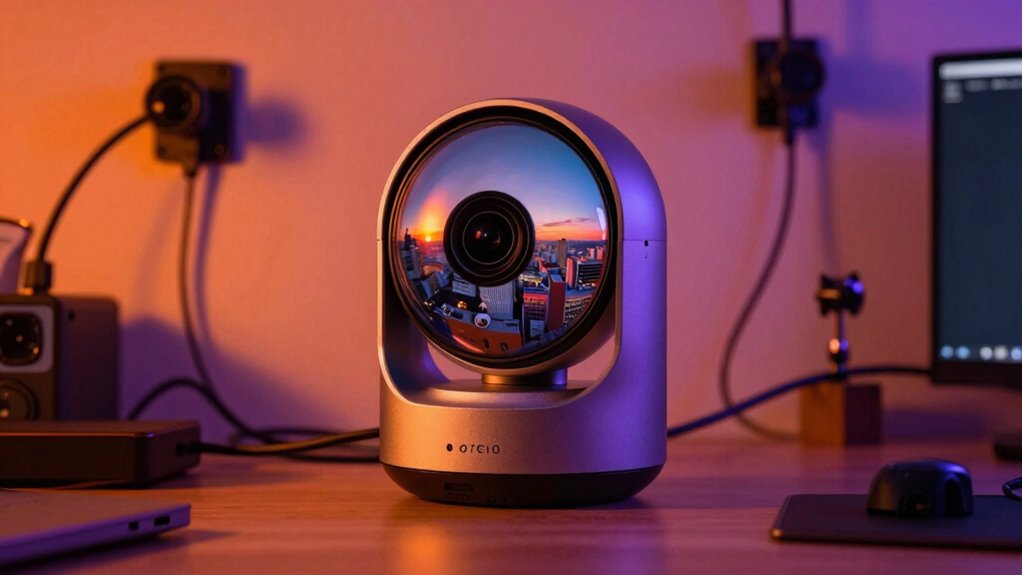
360 cameras deliver stunning, immersive visuals that can transform your creative projects, but they come with a workflow that’s often unfamiliar and sometimes confusing. As you immerse yourself in capturing panoramic footage, you’ll quickly realize that understanding camera ergonomics is essential. Unlike traditional cameras, 360 cameras are designed to capture a full sphere of environment, which means their placement and handling require a different approach. You might find yourself adjusting the camera’s orientation frequently to guarantee optimal framing and stability. Many models are lightweight and compact, making them easy to hold or mount, but their shape and controls can be different from what you’re used to. Getting comfortable with the ergonomics helps you shoot more smoothly, reducing shaky footage and guaranteeing that your shots are stable and well-composed. Additionally, mastering camera ergonomics can help you adapt more quickly to new models and features as the technology evolves.
While capturing is essential, the real challenge lies in post processing techniques. The footage you collect won’t look perfect straight out of the camera. Instead, you’ll need to stitch and process the raw data to create seamless 360-degree videos. This involves software that can handle stitching, color correction, and stabilization. You might spend time experimenting with different algorithms to find the most natural look for your scenes. Proper post processing can turn a raw, slightly distorted clip into a smooth, immersive experience. Techniques like horizon leveling, removing stitching errors, and adjusting exposure are key steps in refining your footage. The goal is to guarantee your viewer feels fully immersed without distractions from technical flaws. Being aware of post processing techniques can significantly improve your workflow and final output. Developing a solid understanding of workflow optimization can further streamline the entire process, saving you time and effort in the long run.
As you navigate this workflow, you’ll discover that mastering camera ergonomics directly impacts your post processing results. Stable, well-framed footage reduces the amount of correction needed later, allowing you to focus on enhancing the visual quality. Conversely, poor ergonomics during shooting can lead to shaky, uneven footage that demands extensive editing. The more comfortable you become with handling your 360 camera, the easier it is to produce high-quality content that truly captivates your audience. Although the process may seem complex at first, developing a routine for capturing and post processing will streamline your workflow over time. Ultimately, while 360 cameras open new creative horizons, understanding their ergonomics and honing your post processing techniques are key to revealing their full potential and delivering stunning, immersive results.
Products Worth Considering

DJI Osmo Action 4 Essential Combo Waterproof Action Camera

DJI Osmo Mobile 7P with Mic Mini TX (Infinity Black) Gimbal Stabilizer

GoPro Hero12 Black Waterproof Action Camera with 5.3K60 Video and 27MP Photos
As an affiliate, we earn on qualifying purchases.
Frequently Asked Questions
How Do 360 Cameras Handle Low-Light Environments?
In low-light environments, your 360 camera handles the situation through low light optimization and enhanced sensor sensitivity. These features allow the camera to capture more light and improve image clarity. You’ll notice better results with settings that boost sensitivity or enable night modes. Keep in mind, however, that very dark scenes might still produce some noise or graininess, but overall, these improvements help you get clearer, more detailed 360 images even in dim conditions.
What Are the Best Editing Tools for 360 Footage?
You should explore editing software like Adobe Premiere Pro, Final Cut Pro, or Insta360 Studio to enhance your 360 footage. These tools maximize VR immersion, streamline your workflow, and offer advanced features for stitching, color correction, and stabilization. By choosing user-friendly and powerful editing software, you elevate your content, making immersive experiences seamless and engaging. Jump in, experiment, and perfect your 360 videos with tools designed to bring your vision to life.
Can 360 Cameras Be Used for Live Streaming?
Yes, you can use 360 cameras for live streaming. To do this effectively, make certain you have the right 360 camera accessories, like external microphones and power sources, for maximum performance. You’ll also need proper 360 camera mounting options to stabilize your shot during a live event. Connect your camera to a reliable internet source, and use compatible streaming software to broadcast seamlessly, providing your viewers with an immersive experience.
How Do You Ensure Seamless Stitching in 360 Videos?
To guarantee seamless stitching in 360 videos, you need to focus on proper camera calibration and minimizing stitching artifacts. Start by meticulously calibrating your cameras before shooting, which aligns lenses and reduces visible seams. Use high-quality stitching software that detects and corrects artifacts, and always shoot in well-lit environments. Checking your footage carefully during editing helps you identify and fix any issues, ensuring a smooth, immersive 360 experience for viewers.
What Are Common Maintenance Tips for 360 Cameras?
To keep your 360 camera in top shape, regularly check its camera durability by cleaning the lenses with a soft cloth and avoiding harsh environments. Optimize your battery life by turning off the camera when not in use, lowering resolution settings, and carrying spare batteries. Also, update firmware regularly to make certain smooth operation. Proper maintenance extends your camera’s lifespan and guarantees high-quality captures every time.
Conclusion
So, while 360 cameras can deliver stunning visuals, your workflow might feel a bit unusual at first. For instance, imagine capturing a scenic landscape and then spending extra time troubleshooting stitching errors or managing heavy files. But with practice, you’ll streamline your process, turning those weird steps into seamless routines. Ultimately, the incredible immersive results make the effort worthwhile—like bringing viewers right into your world, step by step.