
To keep a rental car feeling familiar fast, start by adjusting the seat and mirrors for your comfort and setting your preferred climate and radio stations early. Familiarize yourself with the vehicle’s controls, including gear shift and essential features, by spending a few minutes exploring them. Bring personal touches like phone holders or air fresheners, and set your navigation preferences. Paying attention to regional signs and driving habits also boosts confidence, and if you keep going, you’ll discover even more tips to make the space truly feel like your own.

Get travel and outdoor gear delivered free with Prime
- Fast, free delivery on millions of items
- Prime Video, Amazon Music and more included
- Member-only deals all year
Key Takeaways
- Adjust seat position and mirrors immediately for comfort and clear visibility.
- Set climate controls and favorite radio stations early to create a familiar environment.
- Familiarize yourself with vehicle controls, including gear shift and handling nuances.
- Bring personal items like device holders and navigation setups for quick access.
- Pay attention to regional driving signs and habits to adapt quickly and confidently.
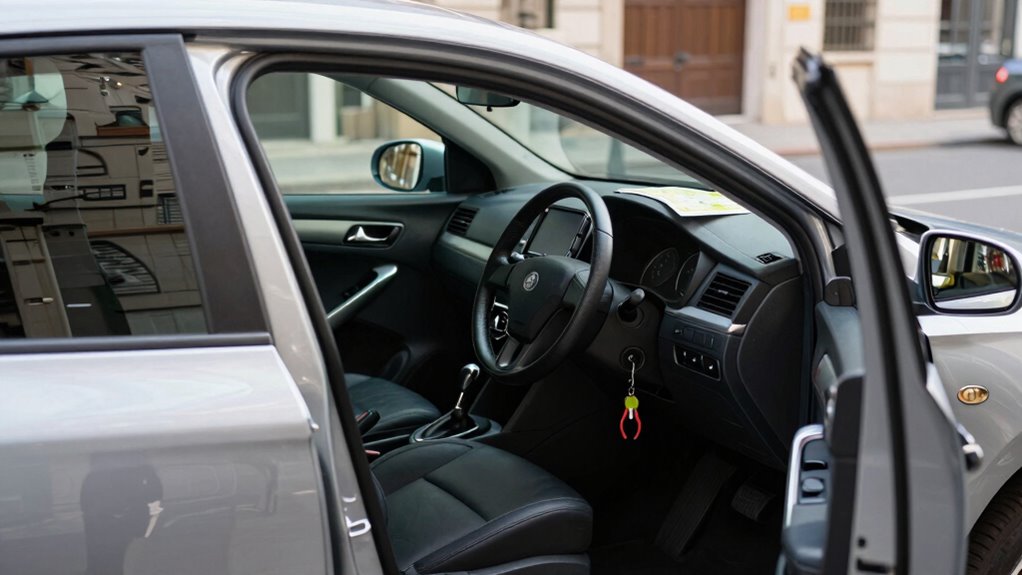
Renting a car can feel unfamiliar at first, but there are quick ways to make it feel like your own. The key is to personalize it as much as possible, even within a short timeframe. Start by adjusting the seats and mirrors to your comfort. When you sit down, move the seat forward or back, tilt it to support your back, and set the mirrors so you have a clear view without straining. These small tweaks make a big difference in how comfortable and familiar the vehicle feels during your drive.
Adjust seats and mirrors quickly to feel more comfortable and at home in your rental car.
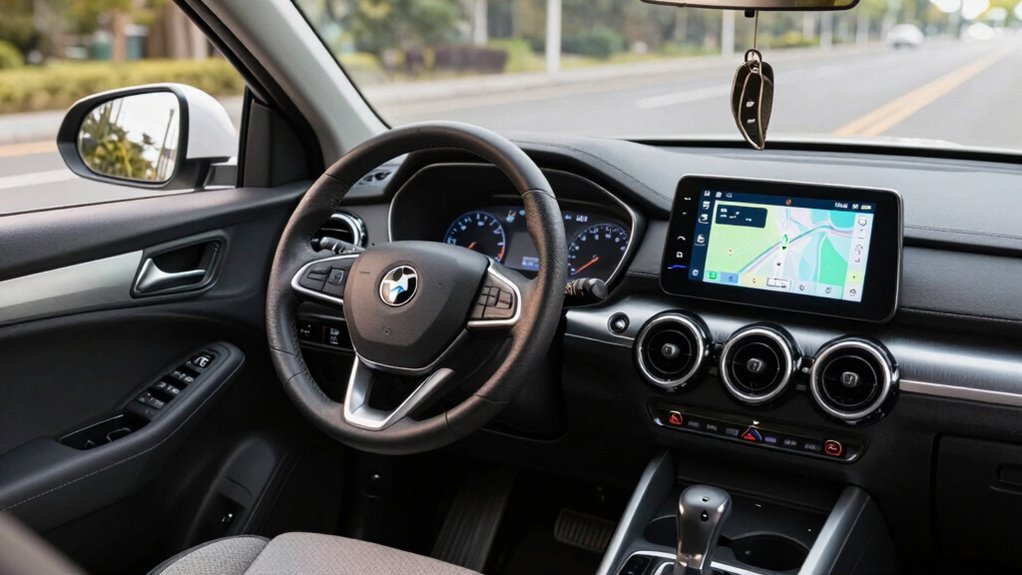
Next, focus on car customization to help settle into your new ride. Most rental cars allow you to adjust the climate controls and radio settings. Set the temperature to your preference early on, so you don’t have to think about it while driving. Save your favorite radio stations or playlists if possible. Having your preferred music or podcast playing helps create a sense of familiarity, making the car feel more like your own space. Many cars also have steering wheel controls for audio or phone calls—use these so you won’t have to reach for the screen or buttons, keeping your focus on the road.
Driving adjustments are equally important. Spend a few minutes familiarizing yourself with how the vehicle accelerates, brakes, and handles. Notice the position of the gear shift and the location of essential controls. This awareness helps you feel more confident behind the wheel, reducing the initial unfamiliarity. If you’re driving in a different country or on the opposite side of the road, take extra time to adapt to the driving style, lane markings, and road signs. Additionally, vehicle familiarity can be improved by reviewing the vehicle’s manual or quick-start guide if available. Being aware of driving habits specific to the region can also ease your transition and make your driving experience smoother. Paying attention to regional driving differences can further ease your transition and enhance your confidence on unfamiliar roads.
You can also bring along small personal touches if permitted, like a favorite air freshener or a small portable device holder. These little additions make the cabin feel more familiar and comfortable. Keep your phone and navigation app handy, and customize your route preferences before hitting the road. This quick preparation reduces distractions and helps you feel more in control. Understanding air quality and ventilation options within the vehicle can contribute to a more comfortable and healthier driving environment. Additionally, becoming familiar with vehicle features can streamline your experience and help you utilize the car’s capabilities more effectively.
Products Worth Considering

DJI Osmo Mobile 8 Phone Gimbal with Mic Mini Transmitter, Infinity Black

Bose QuietComfort Wireless Bluetooth Headphones with Active Noise Cancellation, Mic, USB‑C Charging, Deep Bass, 24‑Hour Battery – White Smok

Apple AirPods Pro 3 Wireless Earbuds with Active Noise Cancellation
As an affiliate, we earn on qualifying purchases.
Frequently Asked Questions
Can I Request Specific Car Features or Models in Advance?
Yes, you can request specific vehicle features or models in advance. When booking your rental, contact the agency to discuss your vehicle customization needs and feature requests. While availability depends on the fleet, informing the rental company early boosts your chances of getting the car with the desired specifications. Be clear about your preferences, and confirm your requests before finalizing the reservation to guarantee a more familiar and comfortable driving experience.
How Do I Reset the Rental Car’s Infotainment System?
Resetting your rental car’s infotainment system is a breeze—think of it as giving your tech a fresh start! Usually, you press and hold the power or volume button for about 10-15 seconds, or navigate through the settings menu to find a reset or factory restore option. This quick tech troubleshooting restores personalization options and clears glitches, making your drive feel just as familiar as your own car.
Are There Apps to Help Customize Rental Car Settings?
Yes, there are apps that help you customize rental car settings through personalization options and app integration. Apps like Android Auto or Apple CarPlay let you connect your phone, so you can adjust navigation, music, and even climate control easily. Some rental companies also offer their own apps to pre-set preferences. Using these tools, you can quickly make the rental feel more familiar and comfortable, enhancing your driving experience.
What Should I Do if I Forget My Rental Car’s Key or Access Code?
If you forget your rental car’s key or access code, contact the rental agency immediately. They usually offer key replacement services or access recovery options, often through roadside assistance or customer support. Have your rental agreement ready to verify ownership. While waiting, avoid attempting to force entry, as it could cause damage. The agency will guide you through secure, quick solutions to regain access and get back on the road.
How Can I Quickly Locate the Rental Car’s Manual or User Guide?
You can quickly locate the rental car’s manual or user guide by checking the glove compartment or center console, where they’re often stored. If you can’t find it there, ask the rental agency staff, as they keep copies for vehicle maintenance and rental insurance purposes. Having the manual handy helps you understand features, so you can maintain familiarity with the car and avoid unnecessary trips or confusion.
Conclusion
Sticking to your usual driving habits helps a rental car feel like home quickly. Remember, adjusting your seat and mirrors and familiarizing yourself with controls can make all the difference. Did you know that over 60% of drivers report feeling more comfortable faster when they personalize their rental? So, take a few minutes to set up the car to your liking—your comfort and confidence on the road depend on it. Safe travels!