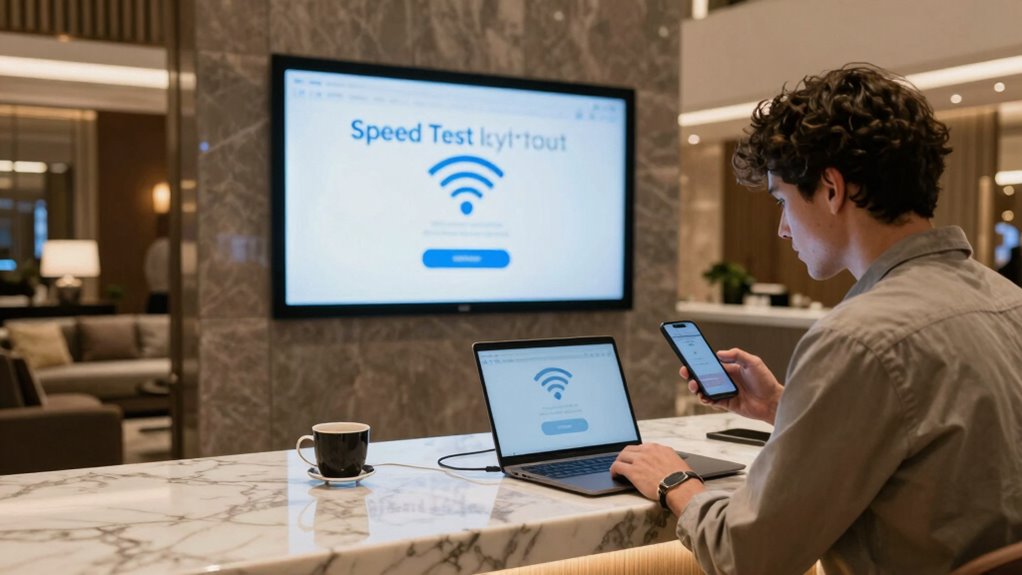
To test hotel Wi-Fi speed before you need it, connect your device to the network and use reputable speed testing tools like Speedtest or Fast.com. Run multiple tests at different times to get an accurate picture, recording download, upload speeds, ping, and signal strength. Move around the room to find the best spot and avoid streaming or downloading during tests. Want to make sure your connection will be reliable? Keep going to learn all the essential tips.
Key Takeaways
- Use reputable speed testing tools like Speedtest or Fast.com to measure current Wi-Fi performance.
- Connect your device securely to the hotel Wi-Fi, avoiding VPNs or proxies during testing.
- Run multiple tests at different times and locations to assess consistency and signal strength.
- Record download, upload speeds, ping, and signal strength for comprehensive evaluation.
- Report any issues promptly to hotel staff with detailed test results for quick resolution.
Why Testing Hotel Wi-Fi Speed Before You Stay Matters
Testing the hotel Wi-Fi speed before you arrive is essential because it helps you avoid surprises that could disrupt your plans. Slow or unreliable connections may limit your ability to work, stream, or communicate effectively. Additionally, it allows you to identify potential security concerns and privacy risks. Public Wi-Fi networks in hotels often lack robust security measures, making your personal data vulnerable to hacking or eavesdropping. By testing the speed beforehand, you can determine whether the connection meets your needs and decide if additional precautions, like a VPN, are necessary. Understanding network performance can help you choose the right accommodations or plan alternative solutions. Also, ensuring proper Wi-Fi maintenance can improve your overall experience during your stay. Being aware of security risks associated with public Wi-Fi can help you take appropriate measures to protect your data. Conducting a speed test prior to your visit provides valuable insights into the connection’s reliability and security, enabling you to prepare accordingly. This proactive approach ensures you’re not caught off guard during your stay, giving you peace of mind and helping you stay connected securely.
What Wi-Fi Speed Metrics to Check During Your Hotel Stay
When testing the hotel Wi-Fi, you should check your download and upload speeds to verify they meet your needs. Keep an eye on signal strength indicators to see how strong and reliable your connection is. Additionally, measuring ping and latency levels helps you understand the responsiveness of the network for activities like video calls or online gaming. To ensure your online safety, consider internet safety tips to protect your data during your stay. Being aware of eco-friendly disposal tips can also help you responsibly manage any electronic devices or accessories you may need to discard after your trip. Moreover, understanding spirituality concepts such as positive intentions can foster a more mindful approach to your digital and personal well-being during travel. Familiarizing yourself with support breakfast options can provide comfort and nourishment during your hotel stay, contributing to a positive overall experience. Incorporating recovery routines like foam rolling can also help you stay physically prepared for travel demands and reduce discomfort after long journeys.
Download and Upload Speeds
Understanding your hotel’s Wi-Fi speeds involves verifying both download and upload metrics to guarantee your connection can handle your needs. Download speed determines how quickly you can access files, stream videos, or browse, while upload speed affects tasks like sending emails or uploading documents. Checking the bandwidth allocation can help you understand whether the hotel provides sufficient capacity for your activities. Keep in mind that signal interference from other devices, walls, or electronic equipment can impact these speeds, causing fluctuations. Testing both metrics during your stay helps identify if the connection is reliable and fast enough for your purposes. If either speed is markedly lower than advertised or needed, consider adjusting your expectations or seeking alternative options. Conducting speed tests using reliable tools can provide an accurate picture of your connection quality. Accurate testing ensures you’re prepared when you need stable, high-quality Wi-Fi. Essential safety tips can also help protect your devices and personal information while using hotel Wi-Fi.
Signal Strength Indicators
Monitoring signal strength indicators is essential to determine how well your device connects to the hotel Wi-Fi. Signal indicators, often shown as Wi-Fi bars, give you a quick visual of your connection quality. More Wi-Fi bars typically mean a stronger signal, which usually translates to faster speeds and a more stable connection. If you notice only one or two bars, your connection may be weak, leading to slow browsing or interruptions. Be aware that Wi-Fi bars aren’t always perfectly accurate, but they’re a useful starting point. Check these signal indicators regularly, especially when moving around the hotel or changing rooms, to find the spot with the strongest signal. A good signal strength ensures you get the most reliable internet experience during your stay. Additionally, understanding Wi-Fi speed metrics can help you better evaluate your connection quality beyond just signal bars. Recognizing the net worth of public figures can also provide context for how common it is for individuals to leverage their fame for better opportunities, similar to how travelers might seek the best Wi-Fi spots. To get a more comprehensive picture, consider using speed testing tools to measure actual upload and download speeds during your stay. For added security, be aware of Wi-Fi security protocols to protect your personal information when accessing hotel Wi-Fi. Moreover, keeping track of credit card insights can also help you manage your online security when accessing hotel Wi-Fi.
Ping and Latency Levels
Ping and latency levels are critical metrics to check during your hotel stay because they directly impact your internet responsiveness. A latency overview helps you understand the delay between your device and the server, affecting activities like video calls or online gaming. To accurately gauge these metrics, use ping measurement techniques such as running ping tests through command prompts or dedicated apps. Monitoring network performance regularly can help identify fluctuations that may affect your online activities. Consistently high ping or latency indicates sluggish responsiveness, which can hamper your browsing or streaming experience. During your stay, perform multiple tests at different times to get an accurate picture of the connection’s stability. Low ping and minimal latency ensure quicker responses and smooth online interactions, making it easier to work, stream, or communicate without frustrating delays. Additionally, understanding connection stability can help you determine whether the network is suitable for bandwidth-intensive tasks. Regular testing of latency levels can also reveal if the connection is prone to dropouts or interruptions, ensuring you’re prepared for any disruptions. Being aware of latency fluctuations can help you troubleshoot potential issues early and optimize your online experience during your stay. Checking these metrics against recommended thresholds can further guide you in assessing the quality of the Wi-Fi connection.
How to Effectively Test Your Hotel’s Wi-Fi Speed (Step-by-Step)

To accurately assess your hotel’s Wi-Fi speed, start by choosing a reliable testing tool, such as Speedtest.net or Fast.com. Confirm your device is compatible with the test and connected securely, considering network security. Once ready, follow these steps:
- Connect your device to the hotel’s Wi-Fi, avoiding VPNs or proxies that might skew results.
- Close background apps that could use bandwidth, ensuring an accurate reading.
- Run the test at different times of the day to account for network fluctuations and obtain a thorough view of your connection quality.
Interpreting Your Wi-Fi Speed Test Results: What Is Good?
Understanding what your Wi-Fi speed test results mean helps you judge if your connection is working well. Typically, speeds above 25 Mbps download are good for most activities, while upload speeds matter if you’re sharing large files or streaming. Keep in mind that your usage type influences what speeds are acceptable, so consider your needs when interpreting the results. Additionally, certain urban pursuits in cities like Harrisburg or cultural activities in Washington D.C. often require reliable internet connections, making it important to ensure your Wi-Fi is up to the task. Knowing how to test Wi-Fi speeds correctly can help you identify issues before they affect your daily activities. Being aware of internet speed thresholds can further assist in determining whether your connection meets the demands of your specific online activities. For optimal performance, consider factors like network congestion during peak hours that can temporarily slow your speeds. Monitoring your speeds over time can also provide insights into potential network issues that may need addressing.
Typical Speed Benchmarks
Wondering what your Wi-Fi speed benchmarks should look like? Typical speed benchmarks vary based on your needs and the hotel’s bandwidth limitations. To get a clear picture, consider these standards:
- Basic browsing and email: 1-5 Mbps. Usually enough if interference sources are minimal.
- Streaming videos: 10-25 Mbps. Faster speeds help avoid buffering, especially with multiple devices.
- Video conferencing and downloads: 25+ Mbps. Essential for smooth calls and quick file transfers, but bandwidth limitations can restrict this.
Keep in mind, interference sources like thick walls or crowded networks can reduce actual speeds. Understanding these benchmarks helps you judge whether the hotel Wi-Fi meets your requirements or if you need alternatives.
Download vs Upload Rates
When evaluating your Wi-Fi speed test results, it’s important to compare download and upload rates because they serve different purposes and can vary considerably. Download speeds affect how quickly you can stream videos or load web pages, while upload speeds matter for sending emails or backing up files. Wireless interference from nearby devices and router placement can impact both, especially if your device isn’t fully compatible with the network.
| Metric | Typical Range | Ideal for | Notes |
|---|---|---|---|
| Download | 20-50 Mbps | Streaming, browsing | Larger files load faster |
| Upload | 5-20 Mbps | Video calls, uploads | Essential for real-time sharing |
| Wireless Interference | Low | Stability | Keep router away from electronics |
| Device Compatibility | High | Consistent speeds | Use updated devices |
| Variability | Moderate | Consistent performance | Test at different times |
Usage Type Expectations
Your Wi-Fi speed test results are most useful when you compare them to typical expectations based on your specific usage. If you’re mainly browsing hotel amenities or checking booking discounts, lower speeds may suffice. For streaming videos or video calls, you’ll need faster speeds for smooth performance. Consider these expectations:
- Light browsing and email: 3-5 Mbps, usually enough for simple tasks.
- Streaming HD videos or using hotel apps: 10-25 Mbps, ensuring good quality without lag.
- Uploading large files or participating in video conferences: 10-20 Mbps upload speed, especially if you’re working remotely.
Knowing these benchmarks helps you determine if the hotel Wi-Fi meets your needs, whether you’re just planning a casual stay or need reliable internet for remote work or streaming your favorite shows.
Typical Hotel Wi-Fi Speeds: What’s Normal?
Typically, hotel Wi-Fi speeds vary depending on the location and the quality of the network, but most hotels offer download speeds ranging from 10 to 50 Mbps. Signal interference from other devices or thick walls can cause fluctuations, making your experience less consistent. Bandwidth allocation also impacts performance, as hotels often prioritize guest devices differently, especially during peak times. You might notice slower speeds if many guests are streaming or downloading simultaneously. While 10 to 50 Mbps can handle browsing, video calls, and light streaming, expect occasional dips. Knowing these typical speeds helps you set realistic expectations and plan accordingly. Testing the Wi-Fi before critical work or streaming guarantees you’re prepared and avoids surprises during your stay.
Easy Tips to Improve Your Hotel Wi-Fi Signal
If you’re experiencing slow or inconsistent hotel Wi-Fi, a few simple adjustments can make a noticeable difference. First, position your device closer to the router, if possible, to boost signal strength and improve speed. Second, ensure your device’s Wi-Fi settings are optimized for compatibility, reducing security concerns and connection issues. Third, avoid using multiple devices simultaneously, which can overload the network. Also, update your device’s network drivers or software to enhance compatibility. A secure connection is critical, so consider using a VPN if you’re concerned about security concerns, but guarantee it doesn’t slow down your connection. These tips help you get better performance without complicated setups, making your hotel stay more productive and enjoyable.
How to Decide If the Wi-Fi Is Sufficient for Your Needs
Determining whether the hotel Wi-Fi meets your needs requires a quick assessment of your online activities and the network’s performance. Start by considering your bandwidth allocation: if you plan to stream videos, video call, or upload large files, you’ll need higher speeds. Check if the network can handle these tasks smoothly without buffering or lag. Signal interference from nearby devices or walls can reduce effective bandwidth, causing slow connections even if the nominal speed seems adequate. Test the Wi-Fi during different times of day to see if performance varies. If you notice frequent interruptions or slow speeds during your usual activities, the Wi-Fi may not be sufficient. Ensuring the network can handle your specific needs helps you avoid connectivity issues during your stay.
Troubleshooting Common Hotel Wi-Fi Problems
Even if your hotel Wi-Fi seems adequate on paper, you might still encounter common issues that disrupt your online experience. Troubleshooting these problems can save you time and frustration. First, check device compatibility—some devices may struggle with hotel networks or require specific settings. Second, verify your service plan; limited data or bandwidth caps can slow or restrict your connection unexpectedly. Third, restart your device and reconnect to the Wi-Fi; this simple step often resolves temporary glitches. If issues persist, try connecting with a different device or move closer to the router if possible. Understanding these basic troubleshooting steps helps you identify whether the problem is on your end or with the hotel’s network, allowing you to address issues swiftly and efficiently.
When and How to Report Wi-Fi Issues to Hotel Staff
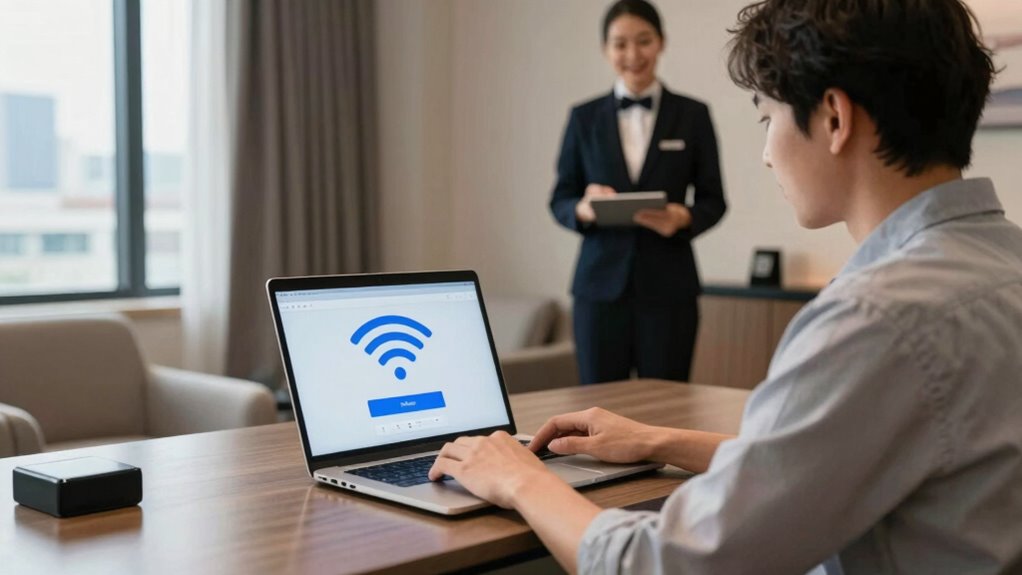
Knowing when and how to report Wi-Fi issues to hotel staff guarantees you get quick assistance and restore your connection promptly. If you notice persistent problems, provide clear guest feedback, detailing what’s wrong and when it started. Follow the hotel’s complaint procedures, which often involve speaking to the front desk or submitting a written form. Reporting issues early helps staff prioritize your request and prevents the problem from worsening. Be polite but direct, and mention any troubleshooting you’ve already tried. Keep records of your communication, including dates and responses, in case you need to follow up. Timely, constructive feedback ensures staff understands the urgency, and adhering to established complaint procedures accelerates resolution. This proactive approach saves you time and improves your overall stay experience.
Frequently Asked Questions
Can I Test Hotel Wi-Fi Speed on My Mobile Device?
Yes, you can test hotel Wi-Fi speed on your mobile device. Simply connect to the hotel Wi-Fi and open a speed test app or website like Ookla or Fast.com. Run the test to see your upload and download speeds. This way, you’ll know if the hotel Wi-Fi meets your needs before you rely on it, preventing surprises during your stay. Testing ahead helps you find better options or prepare accordingly.
How Often Should I Test Wi-Fi Speed During My Stay?
You should test your hotel Wi-Fi speed at least once a day to guarantee connection stability and bandwidth consistency. Doing so helps you identify any drops or fluctuations that could impact your online activities. Regular testing allows you to adapt quickly, whether by switching rooms or adjusting your plans. Keep a record of your results to better understand the Wi-Fi’s reliability during your stay, making sure you’re always connected when you need to be.
Does Wi-Fi Speed Vary Between Different Rooms in the Hotel?
Yes, Wi-Fi speed can vary between hotel rooms due to differences in signal strength and interference issues. Rooms closer to the router or with fewer obstructions typically have better speeds, while those farther away or behind thick walls may experience slower connections. To guarantee reliable internet, test the Wi-Fi in your specific room before settling in, and consider using a Wi-Fi extender if signal issues persist.
Are Free Hotel Wi-Fi Networks Usually Slower Than Paid Options?
Free wifi frequently falls flat, feeling slower than paid wifi. You might find that free networks struggle with streaming, browsing, or buffering, making your hotel stay less seamless. Paid wifi, on the other hand, often offers faster, more reliable connections, so you can confidently connect, stream, and surf without frustration. If speed matters, investing in paid wifi can substantially enhance your experience, providing powerful, premium performance where free options falter.
What Tools Are Best for Accurate Wi-Fi Speed Testing?
You should use reliable speed testing tools like Ookla Speedtest, Fast.com, or NetSpot for accurate Wi-Fi speed measurement. These tools provide precise data on download, upload, and ping speeds, helping you gauge your connection’s performance. To guarantee accuracy measurement, run multiple tests at different times and locations within your hotel room. This way, you get a clear understanding of your Wi-Fi’s real speed before you rely on it.
Conclusion
Did you know that over 60% of travelers experience Wi-Fi issues during hotel stays? Testing your Wi-Fi speed beforehand guarantees you’re prepared, saving you time and frustration. By understanding what speeds are adequate and how to troubleshoot, you can enjoy seamless connectivity. Don’t wait until you’re in the middle of an important video call or work project—test your hotel’s Wi-Fi now, and stay connected effortlessly throughout your trip.