
To avoid connecting to fake Wi-Fi networks, always verify the network name before joining, especially in public places. Look for signs of spoofing, such as typos, unusual characters, or names that mimic legitimate networks but with slight variations. Use encryption tools like VPNs and avoid open networks without security. If you stay cautious and check details carefully, you’ll better protect your data from scams. Learn more tips to stay safe and outsmart cybercriminals.

Get travel and outdoor gear delivered free — and shop member deals
- Fast, free delivery on millions of items
- Access to Prime Big Deal Days deals on October 6–7
- Prime Video, Amazon Music and more included
Key Takeaways
- Always verify the network name with staff or signage before connecting, especially in public places.
- Look for consistent, legitimate naming patterns and avoid networks with typos or unusual characters.
- Check signal strength and stability; fake networks often have fluctuating or unexpectedly strong signals.
- Use encryption tools like VPNs to secure data, and avoid open networks without proper security.
- Be cautious of networks with similar names to trusted ones and disconnect immediately if you suspect a fake network.
What Are Wi-Fi Name Scams and How Do They Work?
Wi-Fi name scams involve hackers intentionally setting up malicious or confusing network names to deceive users. They often use network spoofing to create fake Wi-Fi hotspots that look legitimate, tricking you into connecting. These spoofed networks may have names similar to trusted places, like “CoffeeShop Wi-Fi” or “Airport Free Wi-Fi,” making it hard to tell the difference. Once you connect, hackers can intercept your data or launch phishing attacks, stealing sensitive information. These phishing hotspots are designed to lure unsuspecting users into revealing passwords or personal details. By disguising their networks with familiar or enticing names, hackers increase the chances you’ll connect without suspecting danger. Staying cautious about network names and verifying connections is key to avoiding these scams. Understanding network spoofing can help you recognize and avoid fake Wi-Fi hotspots more effectively, especially considering how easily social engineering tactics can manipulate users into trusting malicious networks.
How to Recognize Fake Wi-Fi Hotspots in Public Places
When you’re in a public place, remaining vigilant for fake Wi-Fi hotspots that can compromise your security. Look out for signs of network spoofing, where malicious hotspots mimic legitimate ones. Check the signal strength; a fake network may have an unusually strong or weak signal compared to nearby legitimate networks. Also, pay attention to the network name—typos or slight variations often indicate a scam. Use this table to spot fake hotspots:
| Clue | What to Look For | Why It Matters |
|---|---|---|
| Network Name | Slight misspellings or unusual names | Fake networks often mimic real ones but with small errors |
| Signal Strength | Unexpectedly strong or weak signals | Inconsistent signals suggest spoofing |
| Connection Behavior | Frequent disconnections or prompts | Fake hotspots may disrupt your connection |
Being aware of common Wi-Fi security threats can help you stay protected and protect your personal information when connecting in public. For example, encryption protocols are often weaker or absent in fake networks, making your data more vulnerable. Stay cautious and verify network details before connecting.
How Cybercriminals Use Fake Wi-Fi Networks to Steal Data
Cybercriminals set up fake Wi-Fi networks using convincing names to lure you in. Once connected, they intercept your data through various methods, stealing sensitive information without your knowledge. Knowing how they create these fake networks and recognize authentic ones can help you stay protected. Additionally, being aware of piercing care and hygiene can help prevent infections that might compromise your device’s security. Being vigilant about network security practices can further reduce your risk of falling victim to these scams. Understanding digital safety awareness can empower you to make smarter choices when connecting to unfamiliar networks, especially considering the importance of cybersecurity strategies implemented by both Red and Blue teams.
Fake Network Creation Tactics
Hackers often set up fake Wi-Fi networks that look legitimate to lure unsuspecting users. They use tactics like network spoofing to mimic trusted networks, making it hard to distinguish the fake from the real. Signal jamming can also be employed to disrupt legitimate connections, pushing users to connect to malicious networks instead. Once connected, cybercriminals can intercept your data or deploy malware. To avoid falling victim, be aware of these tactics:
- Creating a network with a name similar to nearby legitimate Wi-Fi hotspots
- Using signal jamming to prevent access to authentic networks
- Employing fake networks that appear in your device’s list of available Wi-Fi options
- Understanding how style elements can influence your perception of a network’s legitimacy
- Recognizing the importance of Wi-Fi security protocols to safeguard your connections and data. Additionally, staying informed about common cyberattack methods can help you identify potential threats before they compromise your device.
Furthermore, users should be aware that network encryption plays a crucial role in protecting sensitive information from interception during data transmission. Staying vigilant helps you recognize these tactics and protect your data from theft.
Data Interception Methods
Fake Wi-Fi networks are designed to lure you into connecting, enabling cybercriminals to intercept your data as it travels between your device and the internet. Once connected, attackers can exploit unsecured or poorly protected networks to access your information. They may use techniques like signal jamming to disrupt legitimate signals, forcing your device to connect to their fake network. Cybercriminals often create fake networks that appear legitimate, but they can intercept data through methods like man-in-the-middle attacks, even on encrypted channels if they find vulnerabilities. By doing so, they can steal personal details, login credentials, and sensitive information. Staying vigilant and avoiding unknown or suspicious networks helps prevent these interception methods from compromising your data. Additionally, the integration of AI in cybersecurity is rapidly evolving, which can both help detect such threats and pose new challenges for privacy and security. Understanding cybersecurity vulnerabilities associated with unsecured networks can further empower users to identify and avoid potential threats.
Recognizing Authentic Networks
Because malicious actors design fake Wi-Fi networks to look legitimate, it’s essential to recognize the signs that distinguish authentic networks from deceptive ones. Cybercriminals often mimic legitimate network naming conventions, making their fake networks appear trustworthy. To identify genuine networks, check for consistent naming patterns used by trusted providers. Also, pay attention to signal strength indicators; authentic networks usually have stable, strong signals, while fake ones may show inconsistent or unusually weak signals. Additionally, be cautious of networks with misspellings or unusual characters. Always verify with staff or the owner before connecting, especially if the network name seems suspicious or unfamiliar. Recognizing these signs helps prevent falling victim to scams and keeps your data safe from cybercriminals. Understanding network security is crucial for maintaining online safety. Being aware of common scam tactics can further help you stay vigilant and protect your devices from unauthorized access. Staying informed about Wi-Fi security best practices ensures you can connect safely in any environment. Also, understanding the importance of secure connection protocols can significantly reduce the risk of interception and hacking. Furthermore, understanding energetic alignment can help you develop a more intuitive sense of which networks are trustworthy, enhancing your overall cybersecurity awareness.
Signs That a Wi-Fi Network Might Be Malicious or Fake
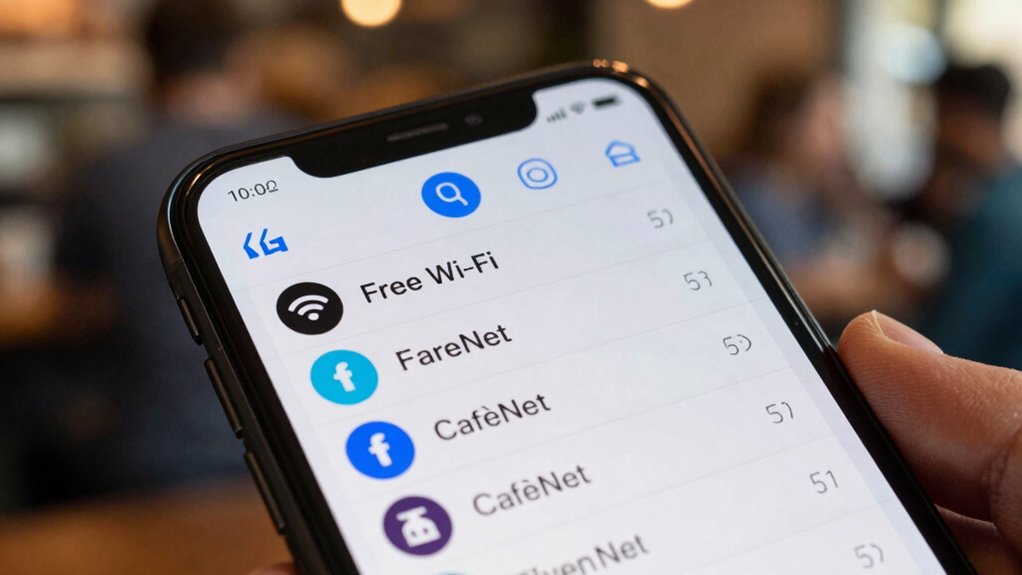
Detecting a malicious or fake Wi-Fi network is essential for protecting your personal information. Signs include networks with unfamiliar or suspicious names that mimic legitimate ones, indicating possible network impersonation. Be wary of networks with slight name variations or extra characters. Signal spoofing can also deceive you by mimicking legitimate networks’ signals, so if a network’s signal seems unusually strong or inconsistent, it might be fake. Always verify with the venue staff if unsure. Look out for these signs:
| Suspicious Name Patterns | Signal Behavior |
|---|---|
| Slight typos or added words | Sudden signal strength changes |
| Similar to legitimate names | Inconsistent connection quality |
| Extra or unusual characters | Weak or fluctuating signals |
Staying alert helps prevent connecting to harmful networks. Additionally, understanding network impersonation techniques can help you recognize more sophisticated scams and stay protected.
Tools and Apps to Detect Fake or Rogue Wi-Fi Networks
Are you aware of the tools available to identify fake or rogue Wi-Fi networks? These tools help you detect network spoofing, where malicious networks mimic legitimate ones, or signal jamming, which disrupts connections. Using specialized apps and hardware, you can analyze Wi-Fi signals for anomalies and verify network authenticity. For example, employing a Wi-Fi analyzer app can reveal duplicate network names and unusual activity that might indicate a fake network. Recognizing network spoofing techniques enables you to better understand how attackers mimic legitimate networks and avoid falling prey to them. Additionally, understanding signal jamming methods helps you identify when a network is intentionally disrupted, further protecting your connections. Being aware of cybersecurity threats related to Wi-Fi security can also help you stay vigilant against evolving attack methods. Familiarity with Wi-Fi security protocols enhances your ability to safeguard your network connections and prevent unauthorized access. These tools enhance your ability to recognize fake networks, reducing the risk of connecting to malicious ones. Staying alert and using the right tools keeps your connection safe and guards against network spoofing and signal jamming tactics.
Tips for Safely Connecting to Public Wi-Fi Hotspots
To stay safe when connecting to public Wi-Fi hotspots, always verify the network’s legitimacy before joining. Look for networks with clear, recognizable names from trusted sources. Once connected, check if the network uses robust encryption protocols—look for WPA3 or WPA2, which provide stronger network encryption. Avoid open networks without any encryption, as they leave your data vulnerable. If available, opt for networks that require a password, as this indicates additional security measures. Consider using a virtual private network (VPN) to encrypt your data further, even on secured networks. Always disable sharing settings and turn off automatic connection features to prevent accidental links to malicious networks. Additionally, understanding regional Wi-Fi trends can help you identify authentic hotspots more easily. Following these tips helps ensure your connection remains private and secure.
How to Tell if a Wi-Fi Network Is Safe Before Connecting
Before connecting to a Wi-Fi network, you need to verify its name carefully to avoid scams. Make sure the connection is secure by checking for “https” or a padlock symbol. Stick to trusted networks only to reduce the risk of falling victim to malicious hotspots.
Verify Network Name Carefully
Since cybercriminals often set up fake Wi-Fi networks with similar or identical names, it’s essential to verify the network name carefully before connecting. Proper network name verification helps you avoid accidental hotspot identification of malicious networks. To do this effectively, look out for:
- Slight misspellings or unusual characters in the network name
- Names that don’t match the official Wi-Fi network of the location or business
- Unexpected or generic names like “Free Wi-Fi” or “Public Hotspot” without additional details
Take a moment to double-check the network name with staff or signage if you’re in a public place. Confirming these details can prevent connecting to a scam network and protect your information from cybercriminals.
Check for Secure Connection
Checking if a Wi-Fi network is secure is essential before you connect, especially in public places. A secure connection uses encryption protocols to protect your data from eavesdroppers. To verify, look for networks that require a password and display a padlock icon. Avoid open networks without encryption, as they leave your information vulnerable. You can also check the security type in your device’s Wi-Fi settings, which indicates the encryption protocol used. Be cautious of networks with suspicious names or those that don’t prompt for a password. Remember, a secure connection minimizes risks and keeps your browsing private.
| Security Type | Encryption Protocol | Connection Status |
|---|---|---|
| WPA2 | Strong (AES) | Secure |
| WPA3 | Very Strong (AES) | Very Secure |
| Open | None | Not Secure |
Use Trusted Networks Only
Using trusted networks helps protect your personal information from potential threats. Before connecting, perform network verification to assure it’s legitimate. Look for networks with familiar names or those provided by trusted sources like your workplace, coffee shop, or hotel. Avoid open networks with generic names or those that seem suspicious. Confirm with staff if necessary, especially in public places. Be cautious of networks that ask for excessive login details or redirect you to unfamiliar websites. Using trusted networks reduces the risk of connecting to fake or malicious hotspots. Always verify the network’s authenticity before connecting, and consider using a VPN for extra security. Trustworthy networks are key to keeping your data safe and avoiding Wi-Fi scams.
What to Do if You Accidentally Connect to a Fake Wi-Fi Network?

If you find yourself connected to a fake Wi-Fi network, act quickly to protect your devices and data. First, disconnect immediately to prevent any potential unauthorized access. Check the network’s signal strength—fake networks often have inconsistent or unusually strong signals to lure users. Avoid entering any sensitive information or performing transactions while connected. If possible, turn off Wi-Fi and disable network sharing features. Reboot your device to reset network settings and clear any lingering connections. Ensure your device’s network encryption is active; this adds a layer of security. Once disconnected, scan for legitimate networks and reconnect only to trusted ones. Consider changing your passwords if you suspect any data may have been compromised. Staying vigilant helps prevent further risks.
How to Protect Your Data if You Suspect a Wi-Fi Scam
When you suspect a Wi-Fi scam, your top priority is to protect your data from potential theft or compromise. First, disconnect immediately from the suspicious network. Next, avoid transmitting sensitive information like passwords or banking details. To safeguard your data, use encryption methods such as a VPN, which encrypts your connection and shields your activity. Also, review the privacy policies of networks you connect to, ensuring they don’t log or share your data.
To protect your data from Wi-Fi scams, disconnect immediately and use encryption like a VPN before transmitting sensitive information.
To further protect yourself:
- Enable strong encryption, like WPA3, on your device and network
- Use two-factor authentication for added security
- Regularly update your device’s software and security patches
Educating Others: How to Spot and Avoid Wi-Fi Name Scams

Understanding how to spot and avoid Wi-Fi name scams is essential for staying safe online. When you see a network with a familiar or suspicious name, question its authenticity. Scammers often use fake Wi-Fi names that mimic legitimate ones, so always verify the network before connecting. Educate others to look for signs like inconsistent or poorly spelled names. Encourage keeping device updates current, as security patches help protect against hijacked networks. Emphasize the importance of password security; avoid sharing passwords or connecting to open networks without a VPN. By staying aware of these clues and promoting good security habits, you can help others prevent falling victim to Wi-Fi name scams and keep their online activities secure.
Frequently Asked Questions
Can I Prevent Wi-Fi Name Scams From Appearing on My Device?
Yes, you can prevent Wi-Fi name scams by enhancing your Wi-Fi security and practicing network verification. Always double-check the network name before connecting, especially in public places, and avoid auto-connecting to open networks. Use strong passwords and enable WPA3 encryption on your router. When in doubt, ask staff for the official Wi-Fi details. These steps help guarantee you’re connecting to legitimate networks and avoid falling for scammer traps.
Are There Legal Penalties for Setting up Fake Wi-Fi Networks?
Yes, there are legal implications if you set up fake Wi-Fi networks. While some might think it’s harmless, criminal penalties can apply if you’re intentionally deceiving users or stealing data. Laws vary by location, but authorities take these scams seriously because they threaten privacy and security. If you’re caught creating fake networks, you could face fines, criminal charges, or other penalties. Always use Wi-Fi responsibly to avoid these serious consequences.
How Often Do Wi-Fi Name Scams Occur in Public Areas?
Wi-Fi name scams happen quite often in public areas, with hotspot frequency varying depending on location. You might encounter scam prevalence more in crowded places like airports, cafes, or parks where scammers set up fake networks to lure unsuspecting users. To stay safe, always verify the network name with staff or official sources and avoid connecting to unfamiliar or suspicious hotspots. Staying alert helps prevent falling victim to these scams.
What Are the Best Practices for Reporting Fake Wi-Fi Hotspots?
When you identify fake networks, follow proper reporting procedures by alerting the venue or local authorities. Contact their management or IT team to inform them about suspicious Wi-Fi hotspots, providing details like network names and locations. This helps prevent others from connecting to malicious networks. Always avoid connecting to unverified networks and report any scams promptly to protect yourself and others from potential cyber threats.
Do All Public Wi-Fi Networks Pose a Security Risk?
Imagine you connect to a free coffee shop Wi-Fi, thinking it’s safe. Not all public network risks are the same, so you should be cautious. Public networks often lack strong security, making them vulnerable to hackers. While some offer safe browsing, many don’t. Be aware of potential threats, use a VPN, and avoid sharing sensitive info to protect yourself from cyber threats on any public Wi-Fi.
Conclusion
Stay vigilant like a lighthouse guiding ships through dark waters. By recognizing fake Wi-Fi names and trusting your instincts, you can steer clear of cybercriminals lurking in the shadows. Protect your data as if it were precious cargo, and don’t hesitate to double-check before connecting. When you’re aware and cautious, you’re the captain of your digital voyage, steering safely away from scams toward a secure and confident connection.
Fall Picks
fall essentials
As an affiliate, we earn on qualifying purchases.